

Spatial audio: a new dimension
Stereo has been the standard for decades, but spatial audio changes the geometry of how we listen. Instead of a flat left-right plane, it places sound in a 3D space around the listener. I've found that adding height and depth makes a podcast feel less like a recording and more like a physical environment.
This isn’t just a gimmick; it’s a fundamental shift in how we perceive audio. It allows creators to craft narratives that feel more realistic and engaging, and it’s particularly well-suited for storytelling, drama, and sound-rich experiences. Think of being able to clearly pinpoint where a character is speaking from, or feeling surrounded by the ambience of a bustling city street.
Apple has been a major driver in popularizing spatial audio, integrating it across its ecosystem of devices and services. Their focus on personalized spatial audio, using head tracking and dynamic processing, is setting a new standard. This push is opening up exciting possibilities for podcasters, but it also means understanding the technology is becoming increasingly important.
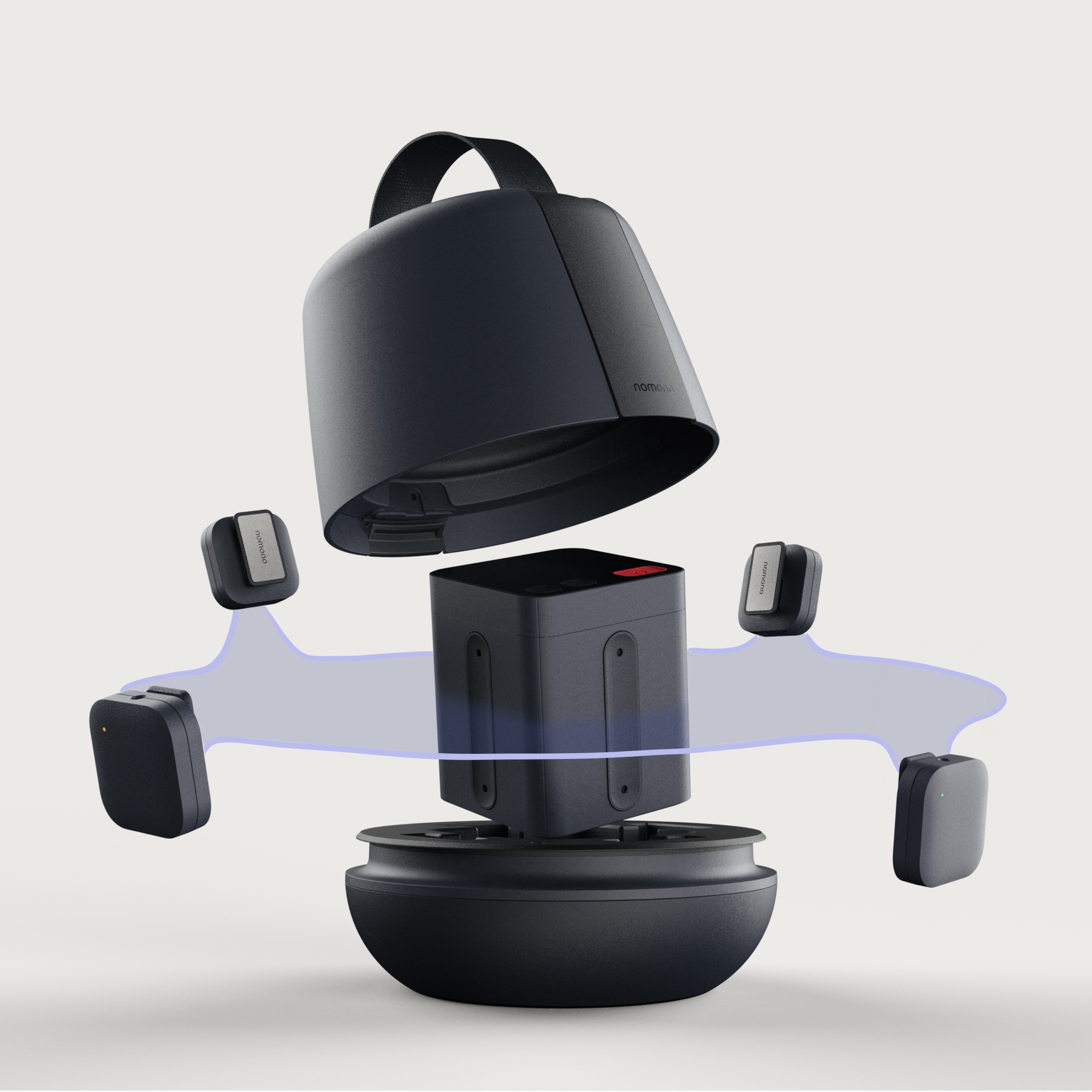
The Apple hardware ecosystem
Apple’s implementation of spatial audio relies on a combination of hardware and software working in concert. At its core is Personalized Spatial Audio, which uses the TrueDepth camera on iPhones and iPads to map the unique geometry of a listener’s head and ears. This creates a customized HRTF – Head-Related Transfer Function – essentially a filter that simulates how sound interacts with your individual anatomy.
Head tracking is the part that actually sells the illusion. When you turn your head while wearing AirPods, the sound stays fixed in space rather than moving with your skull. It keeps the soundstage stable. I also use light dynamic range compression to make sure whispers don't get lost when the background noise kicks in.
For podcasters, it’s less about understanding the precise algorithms Apple uses and more about creating content that works within their system. Apple’s spatial audio is optimized for playback on AirPods (3rd generation, AirPods Pro, and AirPods Max) and works with compatible iPhones and iPads. The goal is to deliver a consistent, immersive experience across these devices, and understanding those limitations is key.
Recording for 3D space
Creating compelling spatial audio begins with thoughtful recording techniques. Don’t assume you can "fix it in post"; a solid foundation is essential. Start with the basics: high-quality microphones and a quiet recording environment. But then, think beyond traditional stereo placement.
Binaural recording is a powerful technique. This involves using a dummy head with microphones placed inside the ear canals, mimicking human hearing. This captures sound as we naturally perceive it, including subtle cues about direction and distance. Specialized microphones, like the Neumann KU 100, are designed for this purpose, but they are expensive. Simpler binaural setups using in-ear microphones are also possible.
Ambisonics is another approach, capturing a 360-degree soundfield. This requires a multi-microphone array and specialized encoding techniques. While more complex, it offers greater flexibility in post-production, allowing you to manipulate the soundscape in any direction. Tools like the SoundField DS4 microphone can simplify ambisonic recording.
Microphone placement is critical. Experiment with different positions to create a sense of depth and space. Consider using multiple microphones to capture different elements of the soundscape. Pay close attention to phase relationships between microphones to avoid unwanted cancellations. Remember, good spatial audio builds on good traditional recording principles – clarity, separation, and a natural sound are still paramount.
- Use large-diaphragm condensers to catch the high-frequency detail spatial audio needs.
- Record in a quiet environment.
- Experiment with microphone placement to create depth.
- Consider binaural or ambisonic recording techniques.
- Pay attention to phase relationships between microphones.
Software and mixing tools
Once you’ve captured your spatial audio, you’ll need software to mix and master it. Many Digital Audio Workstations (DAWs) are beginning to incorporate spatial audio tools, though support is still evolving. Look for DAWs that allow you to work with sound objects in 3D space, positioning them precisely within the soundstage.
Plugins are also essential. You’ll need tools for spatialization, reverb, and equalization that are designed to work with spatial audio formats. Some plugins allow you to simulate head tracking, so you can preview how the mix will sound to listeners with compatible AirPods. Expect to see more specialized spatial audio plugins emerging in the coming years.
Apple offers its own spatial audio tools and frameworks for developers, primarily geared towards app creation. While these aren’t directly applicable to podcast production, they demonstrate Apple’s commitment to the technology and may influence future podcasting workflows. Currently, the focus is on manipulating audio mixes to be compatible with Apple’s spatial audio engine.
Getting onto Apple Podcasts
Apple requires Dolby Atmos for spatial uploads. You can't just upload a standard WAV and hope for the best; the file needs specific bit rates and channel mapping or the ingest system will reject it. I usually check the 2024 Apple Podcasts Connect specs before exporting to avoid a bounce.
Metadata is crucial. You need to clearly indicate that your podcast supports spatial audio. There are specific tags you must include in your podcast feed to signal this to Apple’s system. Artwork also plays a role; Apple recommends using high-resolution artwork to enhance the visual experience.
There are some limitations to be aware of. Apple currently only supports Dolby Atmos for spatial audio podcasts. File size limits may also apply. It’s essential to thoroughly review Apple’s documentation and guidelines before submitting your podcast to ensure compliance. A detailed checklist is available on the Apple Podcasts website.
- Encode audio in Dolby Atmos.
- Add the 'apple-devices' and 'spatial-audio' tags to your RSS XML.
- Use high-resolution artwork.
- Review Apple’s submission guidelines.
- Be aware of file size limitations.
Where immersive audio goes next
Spatial audio is still in its early stages, and the future holds exciting possibilities. We can expect to see advancements in recording technology, with more affordable and accessible tools for capturing immersive sound. Mixing tools will become more sophisticated, offering greater control over the spatial soundstage.
Integration with other immersive technologies, like virtual reality (VR) and augmented reality (AR), is also likely. Imagine podcasts that dynamically respond to your environment, or interactive narratives where you can explore the soundscape in 3D. The potential for personalized spatial audio experiences, tailored to individual hearing profiles, is another promising avenue.
As processing power increases and bandwidth becomes more readily available, we’ll likely see higher-fidelity spatial audio formats emerge. The overall trend is towards more immersive, engaging, and personalized audio experiences, and spatial audio is leading the charge.
No comments yet. Be the first to share your thoughts!