

The reality of podcasting in 2026
Podcasting has come a long way. What started as a niche hobby, largely reliant on clunky equipment and a fair amount of technical know-how, is now a mainstream medium. Early podcasting felt like a compromise – good content often hampered by less-than-ideal audio. The gear was expensive, and the learning curve steep. But that’s changing, rapidly.
We’re entering a new era, driven by artificial intelligence. It's not just about incremental improvements; it’s about a fundamental shift in how podcasts are created and consumed. This isn’t simply about swapping out an old mixer for a new one. It’s about a workflow that anticipates your needs, corrects your mistakes, and ultimately, allows you to focus on what matters most: the story you’re telling.
The promise of AI in podcasting is accessibility. Previously, achieving a professional sound required significant investment in equipment and training. Now, AI-powered tools are democratizing that process, putting studio-quality audio within reach of anyone with a laptop and a microphone. We're seeing intelligent noise reduction, automatic mixing, and even AI-driven content suggestions becoming commonplace.
I don't think AI will replace the host, but it will kill the need for a dedicated sound engineer for mid-tier shows. The goal is to spend less time staring at waveforms and more time on the script.
Microphones that do the heavy lifting
The microphone is still the foundation of any good podcast, but even here, AI is making a huge impact. We’ve moved beyond simple noise cancellation. Modern 'smart' microphones use sophisticated algorithms to actively shape the audio, focusing on your voice and minimizing distractions. This often involves beamforming technology, where the microphone array focuses on the sound source while rejecting noise from other directions.
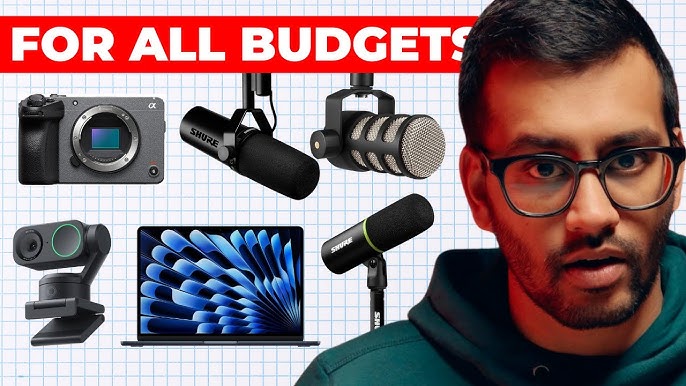
The Shure MV7 is the standard here because it has USB and XLR ports. Its internal DSP handles gain and background hiss before the audio even hits your computer. If you want something that sounds less processed, the Rode NT-USB+ is a better bet. For those on a tight budget, the Samson Q2U is still the best $60 you can spend, especially when paired with a basic noise gate.
Looking ahead to 2026, we can expect even more intelligent microphones. The buzz is around mics that learn your voice profile. Imagine a microphone that understands your speaking style, accentuates your strengths, and subtly corrects your weaknesses. Some companies are experimenting with AI that can even adjust pronunciation in real-time, though the ethics of that are still being debated.
Beyond voice clarity, AI is also being used to add subtle vocal effects. Think automatic compression, EQ, and even de-essing, all handled seamlessly by the microphone itself. This is a game-changer for podcasters who lack audio engineering expertise. The challenge, however, is finding a balance between automation and control. You still want to be able to fine-tune the sound to your liking.
- Shure MV7 uses onboard DSP to keep levels consistent even if you move away from the mic.
- Rode NT-USB+: Known for its natural sound and intelligent processing.
- Samson Q2U: An affordable and reliable option, especially with AI plugins.
Featured Products

Hybrid USB-C and XLR connectivity for versatile use · Auto Level Mode for consistent audio output · Digital Pop Filter and LED Panel for enhanced control and feedback
This AI-enhanced microphone offers intelligent features and superior audio quality to elevate your podcast production, making it essential for any modern home studio.

Professional-grade condenser microphone for studio-quality audio · Direct USB connection for easy recording to computers and mobile devices · Designed for streaming, podcasting, and music production
This AI-enhanced microphone offers intelligent features and superior audio quality to elevate your podcast production, making it essential for any modern home studio.
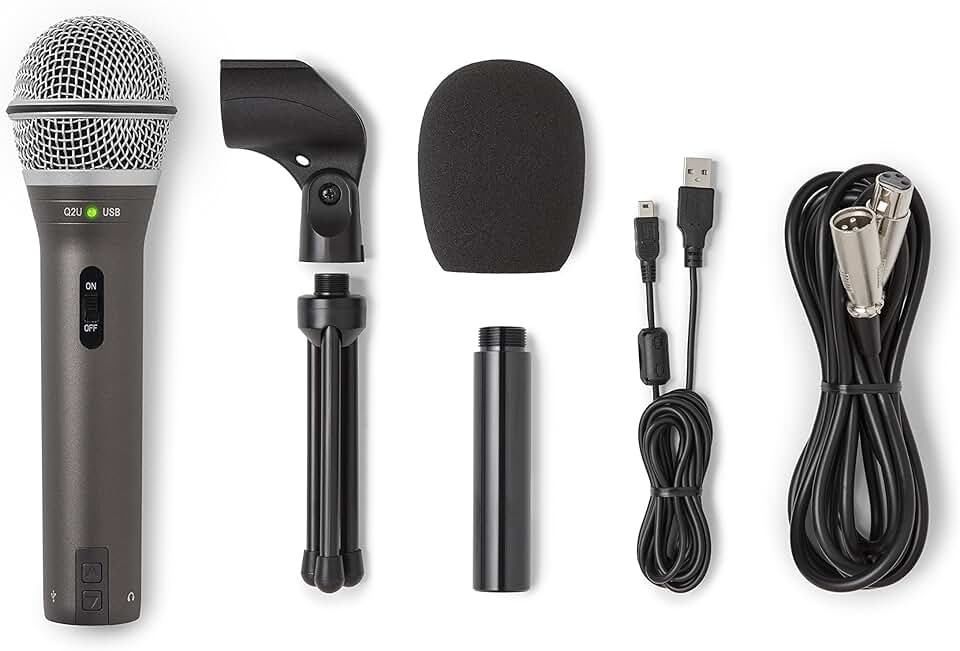
Dual USB and XLR outputs for compatibility with various setups · Dynamic microphone capsule ideal for reducing background noise · Includes essential accessories like a mic clip, desktop stand, windscreen, and cables
This AI-enhanced microphone offers intelligent features and superior audio quality to elevate your podcast production, making it essential for any modern home studio.

High-resolution metering and LED lighting for visual feedback · Blue VO!CE software for advanced vocal effects and sound customization · Plug-and-play USB connectivity for PC and Mac
This AI-enhanced microphone offers intelligent features and superior audio quality to elevate your podcast production, making it essential for any modern home studio.

Cardioid condenser microphone for clear, focused audio capture · Built-in headphone jack with volume control for direct monitoring · USB connection for straightforward integration with computers
This AI-enhanced microphone offers intelligent features and superior audio quality to elevate your podcast production, making it essential for any modern home studio.
As an Amazon Associate I earn from qualifying purchases. Prices may vary.
Software that replaces the editor
This is where AI truly shines. Auto-editing software is transforming the post-production process, automating tasks that once took hours. Tools like Descript, Auphonic, and Adobe Podcast Enhance are leading the charge. Descript, in particular, has pioneered the concept of editing audio by editing text. You simply transcribe your podcast, then remove filler words, pauses, and mistakes by deleting them from the transcript.
Auphonic excels at leveling audio, reducing noise, and adding intro/outro music. It’s a particularly popular choice for podcasters who want a hands-off approach to audio mastering. Adobe Podcast Enhance, a newer offering, focuses on cleaning up noisy recordings, using AI to remove background hum and improve clarity. The quality is remarkably good, even with recordings made in less-than-ideal environments.
The accuracy of AI transcription has improved dramatically in recent years. While it’s still not perfect, it’s now accurate enough for most podcasting purposes. However, human review is still crucial, especially for technical terms or proper nouns. The real power comes from the ability to edit audio through the transcript. It’s incredibly intuitive and saves a huge amount of time.
But what are the limitations? AI can struggle with complex audio, such as multiple speakers talking over each other, or recordings with significant background noise. It can also sometimes misinterpret words, leading to errors in the transcript. Furthermore, while AI can remove filler words like “um” and “ah,” it can also inadvertently remove important pauses or nuances in your delivery. Human intervention is still needed to ensure a polished final product. We’re also starting to see AI suggest edits – identifying sections that are rambling or unclear – and even rewrite portions of your podcast, but this is still very early days and requires careful consideration.
Beyond basic editing, some software is beginning to offer AI-powered content summarization and repurposing. Imagine automatically generating social media clips or blog posts from your podcast episodes. This is where AI can truly unlock new levels of efficiency and reach.
- Transcribe: Convert audio to text with increasing accuracy.
- Remove Filler Words: Eliminate “um,” “ah,” and other distracting sounds.
- Level Audio: Ensure consistent volume throughout the episode.
- Add Music & Effects: Automatically integrate intro/outro music and sound effects.
- Generate Summaries: Create concise summaries for social media or show notes.
AI-Driven Music and Sound Effects
Finding the right music and sound effects can be a major headache for podcasters, especially when it comes to licensing. Services like Epidemic Sound and Artlist are leveraging AI to curate royalty-free music libraries, making it easier to find high-quality tracks that fit your podcast’s vibe. AI algorithms analyze your podcast’s theme, mood, and target audience to suggest relevant music.
But the real innovation is happening in AI-generated music. Tools are emerging that can create custom music tracks based on your specific requirements. You can specify the genre, tempo, mood, and length, and the AI will generate a unique piece of music for your podcast. The quality is improving rapidly, though it’s still not quite on par with professionally composed music.
Is AI-generated music good? That’s subjective. It’s certainly good enough for background music or short sound effects. However, it may lack the emotional depth and complexity of human-created music. There are also ethical considerations. Some musicians are concerned that AI-generated music could devalue their work.
This impacts podcast branding. Using generic or poorly chosen music can detract from your podcast’s overall quality and professionalism. AI can help you find and create music that aligns with your brand, but it’s still important to exercise good judgment and ensure that the music complements your content.
AI-Powered Audio Resources
- Descript - A powerful all-in-one audio and video editor that uses AI to transcribe, edit, and mix podcasts. It allows editing audio by editing the text transcript, and features Studio Sound for noise reduction and audio enhancement.
- Adobe Podcast Enhance - A web-based tool utilizing AI to improve speech clarity and reduce background noise in recordings. It’s designed for quick and easy audio cleanup, even for less-than-ideal recording environments.
- Auphonic - A web service specializing in audio post-production. It automatically levels audio, reduces noise, and applies intelligent compression and loudness normalization, catering to podcast and radio production.
- Krisp - Originally designed for video conferencing, Krisp utilizes AI to remove background noise and echo from both incoming and outgoing audio. It integrates with many popular podcasting and recording applications.
- Lalal.ai - A vocal and instrumental track separation service powered by AI. While primarily used for music production, it can be valuable for podcasting to isolate vocals for editing or creating separate audio elements.
- Cleanvoice AI - Specifically designed for podcast cleanup, Cleanvoice AI automatically removes filler words (um, ah, you know), mouth clicks, and other unwanted sounds from podcast recordings.
- ElevenLabs - Offers realistic text-to-speech generation using AI voice cloning. Useful for creating intros, outros, or even entire podcast segments with synthesized voices.
The Rise of Real-Time AI Assistance
The future of podcasting is interactive. We’re on the cusp of seeing real-time AI assistance integrated directly into the recording process. Imagine a system that automatically suppresses noise, adjusts audio levels, and even mixes your podcast while you’re recording. That’s no longer science fiction.
More ambitiously, some companies are exploring the idea of AI-powered co-hosts. These AI assistants could suggest topics, ask questions, provide feedback on your delivery, and even engage in conversation with you during the recording. This could be particularly useful for solo podcasters who want to add another voice to the mix.
The potential for AI to personalize the podcast experience for listeners is also significant. Imagine an AI that adjusts the audio levels based on the listener’s environment, or even generates custom intros and outros based on their preferences.
However, there are challenges. Maintaining a natural conversational flow with an AI co-host will be tricky. Ensuring that the AI’s suggestions are relevant and helpful will require sophisticated algorithms. And, of course, there are privacy concerns to address. How will listener data be collected and used? These are questions that will need to be answered as this technology evolves.
Budget Breakdown: Building Your AI Studio
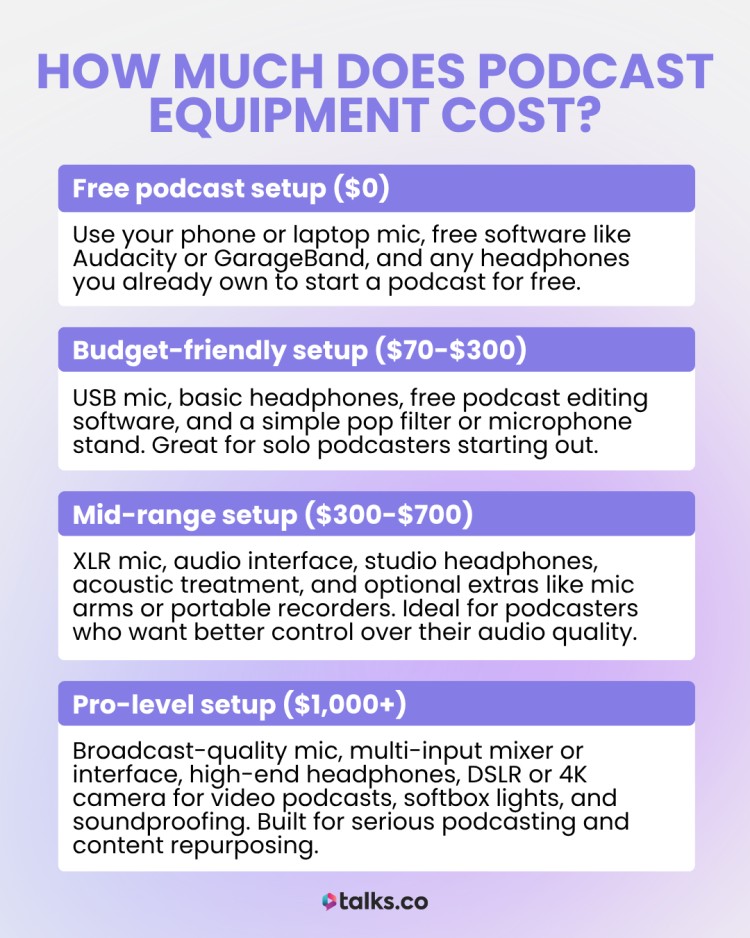
Let's get down to brass tacks. How much will it cost to build an AI-powered podcast studio? It depends on your needs and budget. Here’s a tiered breakdown:
Beginner ($200 - $500): This includes a USB microphone like the Samson Q2U ($60-100), a basic pair of headphones ($50-100), and a subscription to an auto-editing software like Auphonic (starting at $13/month) or Descript (starting at $12/month). You'll be relying heavily on AI for noise reduction and audio leveling.
Intermediate ($500 - $1500): This allows for a higher-quality microphone like the Shure MV7 ($250-300), better headphones ($100-300), and a more comprehensive editing suite like Adobe Audition (subscription required). You'll have more control over the audio, but still benefit from AI-powered tools.
Professional ($1500+): This includes a professional-grade microphone (e.g., Shure SM7B with an audio interface), studio-quality headphones, and a full suite of editing and mastering tools. You’ll have the flexibility to fine-tune every aspect of your audio, but you’ll also need more technical expertise. Remember to factor in costs for acoustic treatment for your recording space.
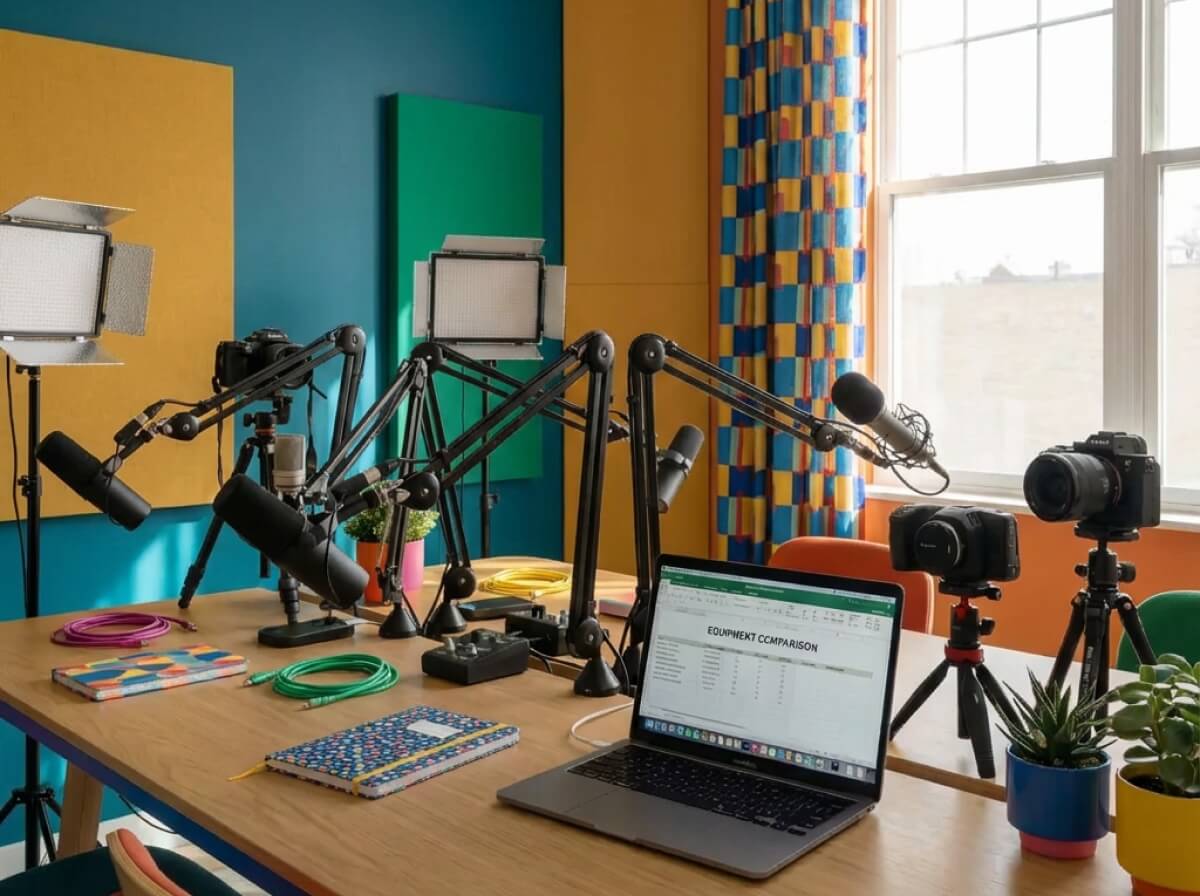
AI-Powered Podcast Equipment Comparison - 2026
| Tier | Microphone Quality | Editing Capabilities | Noise Reduction | Real-time Assistance |
|---|---|---|---|---|
| Beginner | Basic | Basic | Basic | Limited |
| Intermediate | Good | Good | Good | Moderate |
| Professional | Excellent | Excellent | Excellent | Advanced |
| Beginner - Example | Acceptable for spoken word, noticeable limitations in frequency response | Simple cut/paste functionality, basic audio leveling | Reduces consistent background hum, struggles with dynamic noise | Automatic gain control, minimal vocal enhancement |
| Intermediate - Example | Clear and detailed audio capture, improved dynamic range | Automated removal of filler words, basic multi-track editing | Effective at reducing consistent and some dynamic noise | Real-time vocal leveling, suggestions for pacing and clarity |
| Professional - Example | Studio-quality audio, exceptional clarity and detail | AI-powered noise and artifact removal, advanced multi-track editing with seamless integration | Superior noise cancellation, adapts to varying sound environments | Comprehensive real-time feedback on audio quality, pacing, and content flow |
| Considerations | Microphone quality significantly impacts listener experience. | Editing capabilities streamline workflow and improve polish. | Effective noise reduction is crucial for professional sound. | Real-time assistance can improve on-the-fly performance. |
Illustrative comparison based on the article research brief. Verify current pricing, limits, and product details in the official docs before relying on it.
What AI-powered podcasting feature are you most excited about for your home studio in 2026?
AI is rapidly changing the way we record, edit, and produce podcasts from our home studios. From smart microphones that adapt to your environment in real time to editing tools that can cut hours off your post-production workflow, the possibilities are expanding fast. We want to know which AI-driven feature has you most eager to upgrade your setup. Vote below and let us know where you stand!
No comments yet. Be the first to share your thoughts!