

The state of home recording in 2026
AI is no longer a gimmick in home studios. It is changing how we capture sound and how we mix it. We have moved from simple 'smart' buttons to hardware that actively manages the signal chain before it even hits the computer.
In 2026, we're seeing AI move beyond basic noise reduction. It's now influencing gain staging, offering intelligent assistance in music composition, and even automating aspects of post-production that once demanded hours of meticulous work. This isn’t about replacing the engineer, but augmenting their capabilities and making high-quality recording more accessible.
There’s a lot of hype surrounding AI, and it's easy to get caught up in the buzz. However, the most valuable applications right now focus on solving real problems for home recordists – things like minimizing background noise, achieving consistent levels, and speeding up tedious editing tasks. A lot of the more ambitious promises are still a few years out, but the foundations are being laid now.
This guide will focus on the AI-powered recording equipment that's genuinely useful today, and offer a realistic look at what you can expect in the next couple of years. We’ll look at specific products, discuss their strengths and weaknesses, and help you build a home studio that leverages the power of AI without sacrificing sound quality or creative control.
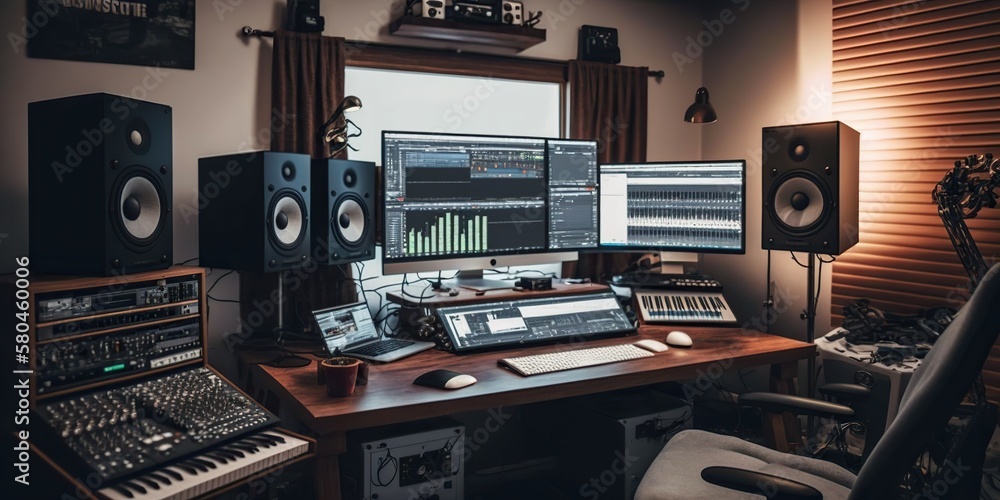
Microphones with built-in noise suppression
AI-powered noise cancellation in microphones has come a long way. Early noise gates were blunt instruments, often chopping off the beginnings and ends of words. Modern AI algorithms analyze the audio signal in real-time, intelligently differentiating between your voice and unwanted sounds—traffic, keyboard clicks, fans—and suppressing them without introducing the unnatural artifacts of traditional methods.
A standard noise gate just cuts audio when it drops below a certain volume. These newer systems actually identify the difference between a voice and a mechanical fan. You get a cleaner vocal without the 'choppy' sound of a gate opening and closing.
USB microphones like the Rode NT-USB+ (around $170 as of late 2026) are leading the charge, offering excellent sound quality combined with impressive AI noise cancellation. The Shure MV7 (approximately $250) is another strong contender, providing both USB and XLR connectivity and a built-in AI algorithm that adapts to your voice and environment. Reviews consistently praise its ability to suppress background noise while preserving vocal clarity.
However, it’s not a perfect science. Aggressive AI noise cancellation can sometimes introduce a subtle 'watery' or 'metallic' quality to the voice, especially with cheaper microphones. It's important to find a balance between noise reduction and natural sound. Experiment with the settings and listen critically to ensure the AI isn’t doing more harm than good. XLR microphones, paired with AI-powered audio interfaces, often offer more control and potentially higher fidelity.
- Rode NT-USB+: This is a solid $170 option if you record in a noisy room. The noise cancellation is effective without making the voice sound too processed.
- Shure MV7: Versatile (USB/XLR), adaptive AI algorithm, praised for vocal clarity ($250)
- Blue Yeti X: Popular USB mic with AI noise reduction, good value for the price ($140)
Featured Products

Studio-quality condenser capsule · High-resolution 24-bit/48kHz recording · Plugs directly into USB-C devices
This AI-enhanced microphone offers intelligent features to elevate your home studio recordings, ensuring professional-quality audio with ease.

OBS Certified for seamless streaming integration · Dual USB-C and XLR outputs for versatile connectivity · Auto Level Mode and Digital Pop Filter for optimized vocal clarity
This AI-enhanced microphone offers intelligent features to elevate your home studio recordings, ensuring professional-quality audio with ease.

High-fidelity AD/DA conversion · Integrated touchscreen control for intuitive operation · AES67, MIDI, ADAT, and S/PDIF connectivity for expansion
This AI-enhanced audio interface offers intelligent features to elevate your home studio recordings, ensuring professional-quality audio with ease.
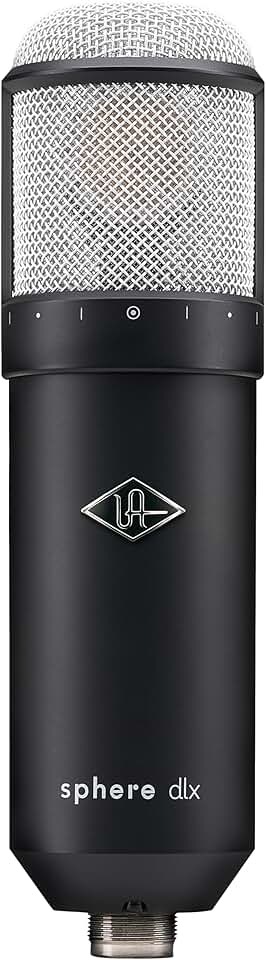
Accurate modeling of classic microphones · Low-latency performance · Includes extensive UAD Sound Library
This AI-enhanced microphone offers intelligent features to elevate your home studio recordings, ensuring professional-quality audio with ease.

Versatile condenser microphone for various sources · Includes Swiftshield Pop Filter and Shock Mount · Durable construction with a distinctive black finish
This AI-enhanced microphone offers intelligent features to elevate your home studio recordings, ensuring professional-quality audio with ease.
As an Amazon Associate I earn from qualifying purchases. Prices may vary.
Interfaces that handle gain for you
Proper gain staging is fundamental to achieving a clean, dynamic recording. Traditionally, this has been the responsibility of the engineer, requiring careful monitoring and adjustment. Now, AI is stepping in to automate the process, ensuring optimal levels and minimizing the risk of clipping or excessive noise.
AI-powered audio interfaces analyze the incoming signal and automatically adjust the gain to maintain a consistent level without peaking. Some interfaces even learn your recording environment and adapt over time, becoming more accurate as they gather data. This is particularly helpful for beginners who may not be familiar with the intricacies of gain staging.
Universal Audio's Volt series (starting around $140) incorporates a 'Unison' technology that models the preamps of classic recording consoles. While not strictly AI, it’s an intelligent system that shapes the sound of your recordings. Focusrite’s Scarlett Solo and 2i2 interfaces (around $120 and $180 respectively) also include auto-gain features, though their implementation is less sophisticated than some dedicated AI systems.
Auto-gain is mostly about speed. It lets you start recording without worrying about clipping. I still prefer setting levels manually for critical sessions to get the exact saturation I want, but for a quick demo or a podcast, the automation is reliable enough.
- Universal Audio Volt Series: Models classic console preamps, excellent sound quality (from $140)
- Focusrite Scarlett Solo/2i2: These start around $120. The auto-gain feature is basic but works well for beginners who don't want to watch meters all day.
- PreSonus Studio Series: Offers a range of AI-powered features for gain staging and EQ (from $150)
AI-Powered Audio Interface Comparison - 2026
| Interface Name | Auto-Gain Implementation | Noise Reduction Technology | Real-Time Effects Processing | User Control & Customization |
|---|---|---|---|---|
| Universal Audio Volt | Utilizes machine learning to analyze input signal and set optimal gain levels, aiming for a consistent, strong signal without clipping. Adapts to various source types. | Employs a dynamic noise gate and spectral shaping to reduce background noise and unwanted artifacts. Focuses on preserving the natural tone of the source. | Offers a suite of UA’s Unison technology-inspired effects, modeled after classic preamps and processors. These effects are generally fixed algorithms, not AI-driven variations. | Provides control over Unison effect selection and level. Gain staging remains largely manual, with AI providing a starting point. |
| Focusrite Scarlett (4i4 3rd Gen) | Features 'Auto Gain' which analyzes the input signal and suggests a suitable gain level. The system prioritizes preventing clipping, sometimes at the expense of maximizing signal level. | Implements noise suppression through its built-in preamps and software, focusing on reducing static and hum. The effectiveness varies depending on the input source and environment. | Offers limited real-time effects processing within the Focusrite Control software, primarily EQ and compression. These are standard digital effects, not AI-powered. | Gain is adjustable, and users can select different input sources. Control over noise reduction is limited to preamp gain and software adjustments. |
| PreSonus Studio 680 | Incorporates a gain assist feature that analyzes the incoming audio and suggests a gain setting. It aims for a balance between signal strength and headroom. | Utilizes a noise reduction algorithm within its software suite, designed to minimize background hiss and hum. The algorithm adapts based on the frequency content of the signal. | Provides a range of built-in effects, including EQ, compression, and reverb. While digital, these effects are not currently leveraging AI for dynamic adaptation. | Offers comprehensive control over gain, input selection, and effects parameters. Users can save and recall custom settings. |
| Audient iD14 MkII | Does not currently offer a fully automated auto-gain function. Relies on user-defined gain staging, aided by clear metering and visual feedback. | Focuses on pristine preamp design to minimize inherent noise. Offers limited software-based noise reduction capabilities. | Provides access to Audient's EQ and compressor plugins, which are high-quality digital effects but do not incorporate AI-driven features. | Offers precise control over gain, input selection, and monitoring. Users can customize routing and monitor mixes. |
| MOTU M2 | Offers a gain-finding feature that helps users set appropriate input levels. The system aims to maximize signal-to-noise ratio while avoiding clipping. | Includes a noise gate and spectral shaping tools within its software suite, designed to reduce unwanted background noise. | Provides a selection of MOTU’s effects plugins, including EQ, compression, and reverb. These effects are digitally modeled but lack AI-driven adaptation. | Allows for detailed control over gain, routing, and effects parameters. Users can save and recall custom presets. |
Illustrative comparison based on the article research brief. Verify current pricing, limits, and product details in the official docs before relying on it.
Mixing and mastering assistance
Digital Audio Workstations (DAWs) are increasingly incorporating AI to assist with mixing, mastering, and even music composition. These tools aren't designed to replace the mixing engineer, but rather to streamline the workflow and suggest improvements. AI can automate repetitive tasks, identify potential problems, and offer creative starting points.
iZotope RX is a standout example. Its 'Music Rebalance' feature can intelligently separate vocals, bass, percussion, and other instruments within a mixed track, allowing you to adjust their levels independently. Ozone's 'Master Assistant' analyzes your audio and suggests EQ, compression, and limiting settings to achieve a polished, professional sound. Both tools are invaluable for quickly improving the quality of your recordings.
Steinberg Cubase and Ableton Live are also adding AI-powered features. Cubase’s VariAudio offers intelligent pitch correction and vocal editing, while Ableton’s new "Mix Assist" tools provide suggestions for EQ and compression based on the characteristics of your tracks. These features are constantly evolving, with new AI algorithms being added in each update.
It’s crucial to approach AI-assisted mixing and mastering with a critical ear. AI is a tool, not a magic bullet. The suggestions it makes are based on algorithms and statistical analysis, and they may not always be the best choice for your specific track. Always listen carefully and use your own judgment to refine the results. A skilled engineer will always be able to achieve a better mix than AI alone, but AI can significantly speed up the process and offer valuable insights.
- iZotope RX: Industry-standard audio repair and enhancement, Music Rebalance feature ($399)
- iZotope Ozone: Mastering suite with Master Assistant, intelligent EQ and compression ($199)
- Steinberg Cubase: DAW with VariAudio for pitch correction and vocal editing (from $99)
- Ableton Live: DAW with Mix Assist tools for EQ and compression (from $99)
Effects and restoration plugins
Beyond the features built into DAWs, a growing number of individual plugins leverage AI for specific tasks like noise reduction, vocal enhancement, and instrument separation. These plugins offer targeted solutions to common recording problems, often with impressive results.
Waves Clarity Vx Pro ($149) is a highly regarded noise reduction plugin that uses AI to remove background noise without introducing artifacts. Acon Digital DeVerberate 3 ($149) excels at removing unwanted reverb from recordings, making it ideal for cleaning up vocals or instruments recorded in untreated rooms. Accusonus ERA Bundle ($149) provides a suite of AI-powered plugins for noise reduction, de-clipping, and vocal enhancement.
AI-powered de-reverberation tools have become remarkably effective, capable of realistically removing room ambience without making the audio sound sterile. Vocal doubling/harmonization plugins are also improving, with AI algorithms that create more natural-sounding harmonies than traditional methods. However, results can still vary depending on the quality of the source audio and the complexity of the arrangement.
The key to success with AI-powered plugins is experimentation. Each plugin has its own strengths and weaknesses, and it’s important to find the ones that work best for your specific needs. Don't be afraid to try different settings and compare the results. Remember, AI is a tool to enhance your creativity, not replace it.
- Waves Clarity Vx Pro: AI-powered noise reduction, excellent clarity ($149)
- Acon Digital DeVerberate 3: Removes unwanted reverb without artifacts ($149)
- Accusonus ERA Bundle: Suite of AI plugins for noise reduction and vocal enhancement ($149)
- iZotope Neutron: Offers AI-powered mixing assistance and suggestions ($299)
AI-Powered Studio Plugins
- iZotope RX 10 (and beyond) - Industry-leading audio repair suite utilizing AI algorithms for tasks like de-noise, de-clip, de-hum, and spectral repair. Continues to improve its machine learning capabilities for more transparent and effective restoration.
- Waves Clarity Vx Pro - A vocal clarity plugin designed to remove background noise and reverberation from vocal and speech recordings. Uses AI to distinguish between voice and unwanted sounds, offering real-time processing.
- Accusonus ERA Bundle 6 - A collection of plugins focused on simplifying audio repair. Includes modules for noise reduction, reverb removal, plosive removal, and more, all powered by AI for ease of use.
- LANDR Mastering AI - An automated mastering service that uses AI to analyze and enhance your tracks. Offers various mastering styles and revisions, suitable for quick and affordable mastering solutions.
- Acon Digital Restoration Suite 2 - Provides a comprehensive set of tools for audio restoration, including noise reduction, click removal, and hum removal, leveraging AI algorithms for improved accuracy and reduced artifacts.
- Oeksound soothe2 - A dynamic EQ plugin that uses AI to identify and tame harsh frequencies in your audio. It intelligently reduces resonances and unwanted peaks without sounding overly processed.
- Synplant 2 - A unique sound design tool that uses AI to generate new sounds based on existing samples. Allows for exploration of sonic possibilities through genetic algorithms and mutation.
Tools for podcasters
Podcasting benefits enormously from AI-driven tools, primarily due to the repetitive nature of many production tasks. Automatic transcription services, like those offered by Descript ($12/month and up), can quickly convert audio to text, making it easy to edit and create show notes. These transcriptions are surprisingly accurate, and Descript even allows you to edit the audio by editing the text.
Auphonic ($11/month and up) is another popular choice for podcast post-production. It automatically levels audio, reduces noise, and applies compression, ensuring a consistent and professional sound. It can also remove filler words like “um” and “ah” and intelligently reduce silences, streamlining the editing process.
Beyond editing, AI is beginning to assist with content creation. Some tools can suggest content ideas based on trending topics or analyze your previous episodes to identify areas for improvement. While these tools are still in their early stages, they have the potential to significantly streamline the podcast production workflow.
The efficiency gains from using AI in podcasting are substantial. What once took hours of manual editing can now be accomplished in minutes, freeing up podcasters to focus on creating compelling content. However, it’s still important to review the AI’s work and make any necessary adjustments to ensure the final product meets your standards.
- Descript: Audio and video editing with AI-powered transcription ($12/month and up)
- Auphonic: Automatic audio leveling, noise reduction, and post-production ($11/month and up)
- Otter.ai: Transcription service specifically designed for meetings and interviews ($10/month and up)
- Adobe Podcast Enhance: Free tool for improving audio clarity and reducing noise (free)
Future Trends & What to Watch For
The future of AI in home recording is brimming with possibilities. We can expect to see even more sophisticated AI algorithms that can automate complex tasks and provide personalized audio processing. Imagine AI-powered mixing consoles that learn your preferences and automatically adjust settings to achieve your desired sound.
Virtual sound engineers, powered by AI, could offer real-time feedback and guidance, helping you to make informed decisions about your recordings. Personalized audio processing could tailor the sound of your recordings to your individual hearing profile, ensuring optimal clarity and enjoyment.
One exciting area of development is AI-powered source separation. Currently, plugins can separate instruments with varying degrees of success. Future algorithms will likely be able to isolate even the most complex sounds, opening up new creative possibilities. Another area to watch is AI-driven mastering services that can deliver professional-quality results with minimal human intervention.
While the hype around AI can be overwhelming, it’s important to remember that these technologies are still in their early stages. It will take time for them to mature and reach their full potential. However, the progress we’ve seen in recent years is undeniable, and the future of home recording is undoubtedly intertwined with the power of artificial intelligence.


No comments yet. Be the first to share your thoughts!