

The shift to Thunderbolt 5
USB 2.0 is finally dying. It’s been the standard for years, but it can't keep up with modern track counts or heavy plugins. While USB-C is the current step up, Thunderbolt 5 is the real shift we're waiting for in 2026.
The demand for more bandwidth is driven by several factors. We’re seeing an increase in musicians recording with larger setups – more microphones, more instruments, more processing. Simultaneously, software is becoming more demanding, with plugins requiring more processing power and higher data throughput. This isn’t just about professional studios either; hobbyists are building increasingly sophisticated home setups.
Many people are still operating with older interfaces and computers, and the jump to a new standard can seem daunting. But understanding the differences between USB-C and Thunderbolt 5 is crucial for making an informed decision about your next audio interface. Ignoring these developments means potentially limiting your studio’s capabilities and facing frustrating performance issues down the line. It’s about setting yourself up for success in the years to come.
Where USB-C hits the wall
USB-C, as it exists today, is a vast improvement over USB 2.0, but it’s not a monolithic standard. There’s a lot of confusion around the different USB-C specifications. You’ll encounter terms like USB 3.1 Gen 1 (5 Gbps), USB 3.1 Gen 2 (10 Gbps), USB 3.2 (20 Gbps), and USB4 (40 Gbps). The speed you get depends entirely on the port on your computer and the interface itself.
In practical terms, for audio interfaces, USB 3.1 Gen 2 (10 Gbps) is currently the most common implementation. This allows for reliable operation with interfaces supporting up to 32 inputs and outputs at 48kHz/24-bit resolution. However, pushing beyond that, or using higher sample rates like 96kHz or 192kHz, can quickly saturate the bandwidth. You might experience dropouts, glitches, or increased latency.
Bottlenecks happen when you share a USB-C bus. If you plug in an external drive next to your interface, they'll fight for bandwidth. You can usually fix this by swapping ports or using a powered hub. Don't expect USB4 to hit its theoretical max speed in a real-world session; it rarely does.
Here’s a quick breakdown of realistic channel counts you can expect with USB-C interfaces as of late 2024/early 2025:
- 44.1kHz/24-bit: 32 inputs and outputs work reliably.
- 48kHz/24-bit: Up to 24 inputs/outputs is a safe bet.
- 96kHz/24-bit: 16 inputs/outputs is where you might start to see issues.
- 192kHz/24-bit: 8 inputs/outputs is a practical maximum for many setups.
USB-C and Thunderbolt 5 Audio Interface Comparison (for 2026 Home Studios)
| Interface Standard | Maximum Data Rate | Typical Use Cases | Approximate Interface Price Range | Potential Bottlenecks |
|---|---|---|---|---|
| USB 3.1 Gen 1 (USB-C) | 5 Gbps | Simple recording setups, solo instruments, voiceover work, podcasting with limited channels. | Under $200 | Limited channel count at lower sample rates/bit depths; may struggle with multiple simultaneous streams. |
| USB 3.1 Gen 2 (USB-C) | 10 Gbps | Small to medium-sized projects, recording bands with moderate channel counts, virtual instruments. | $200 - $500 | Can become a bottleneck with very high track counts or demanding plugins, especially at 96kHz or higher sample rates. |
| USB 3.2 Gen 2x2 (USB-C) | 20 Gbps | More complex recording projects, larger ensembles, increased plugin usage, some live streaming applications. | $300 - $700 | Still potentially limited by USB architecture for extremely high channel counts or demanding processing. |
| USB4 (USB-C) | 40 Gbps | Versatile for a wide range of applications, including high-channel count recording, complex mixing, and integration with other high-bandwidth devices. | $400 - $800+ | While a significant improvement, real-world performance can vary depending on host device implementation and cable quality. |
| Thunderbolt 5 | Up to 80 Gbps (bi-directional) | Professional studios, large-scale recording, high sample rate/bit depth projects, demanding virtual instrument processing, multi-device setups. | $600+ | Generally fewer bottlenecks due to higher bandwidth, but still reliant on proper driver support and system configuration. Cost is typically higher than USB-C options. |
| USB4 (with DisplayPort Alt Mode) | 40 Gbps | Similar to USB4, but with added capability for video output, useful for streaming or integrating with displays. | $450 - $900+ | Potential for bandwidth sharing between audio and video data, potentially impacting audio performance if not managed effectively. |
| Thunderbolt 3 (USB-C connector) | 40 Gbps | Still relevant for many users, offering substantial bandwidth for audio applications. Interfaces may be available at discounted prices. | $400 - $700 | May not offer the same future-proofing as Thunderbolt 5, but remains a powerful option. |
Illustrative comparison based on the article research brief. Verify current pricing, limits, and product details in the official docs before relying on it.
Thunderbolt 5: The Promise of Speed
Thunderbolt 5 represents a significant leap forward in connectivity. It boasts a bandwidth of 80 Gbps bidirectional – meaning 80 Gbps for sending and receiving data simultaneously. This is double the theoretical maximum of USB4 and a huge improvement over previous Thunderbolt versions.
Beyond sheer speed, Thunderbolt 5 introduces protocol tunneling. This allows for more efficient data transfer by dedicating bandwidth to specific tasks. It also supports daisy-chaining, meaning you can connect multiple Thunderbolt devices to a single port, though the practical benefits of this for most home studios are limited.
In the studio, this means you can track more channels at 96kHz without the system choking. Latency drops, so the delay between your pick-hit and the monitor sound is tighter. It's a more stable connection than the current USB-C mess.
The latency gap
Latency – the delay between playing a note and hearing it – is a critical factor in audio production. Lower latency allows for more natural and responsive recording and mixing. Interface speed plays a major role in determining latency, but it’s not the only factor.
With a well-optimized USB-C interface, you can realistically expect round-trip latency figures of around 7-10 milliseconds at a 44.1kHz sample rate and a buffer size of 64 samples. Increasing the buffer size reduces CPU load but increases latency, and vice versa. Thunderbolt 5, theoretically, can push that down to 3-5 milliseconds under similar conditions. However, these numbers can vary greatly depending on your computer’s hardware, operating system, and drivers.
ASIO (on Windows) and Core Audio (on macOS) are the primary audio drivers used in most DAWs. ASIO generally offers lower latency than Core Audio, but it requires more careful configuration. Both drivers interact differently with various interfaces, so it’s essential to use the latest drivers and optimize your DAW settings.
Here's a general comparison, keeping in mind these are estimates:
- USB-C (44.1kHz, 64 samples): 7-10ms round-trip.
- USB-C (96kHz, 64 samples): 9-12ms round-trip latency.
- Thunderbolt 5 (44.1kHz, 64 samples): 3-5ms round-trip latency.
- Thunderbolt 5 (96kHz, 64 samples): 5-7ms round-trip latency.
Round-Trip Latency vs. Buffer Size for USB-C & Thunderbolt 5 Interfaces (2026)
Data: AI-generated estimate for illustration
Real-World Interface Options (2025/2026)
Currently (late 2024/early 2025), USB-C interfaces dominate the market. Thunderbolt 5 interfaces are just starting to emerge, and wider availability is expected in 2026. Here are a few notable options:
Focusrite Scarlett 18i20 (USB-C): A popular choice for project studios, offering 18 inputs and outputs at a reasonable price. It delivers solid performance for most recording tasks. Around $600.
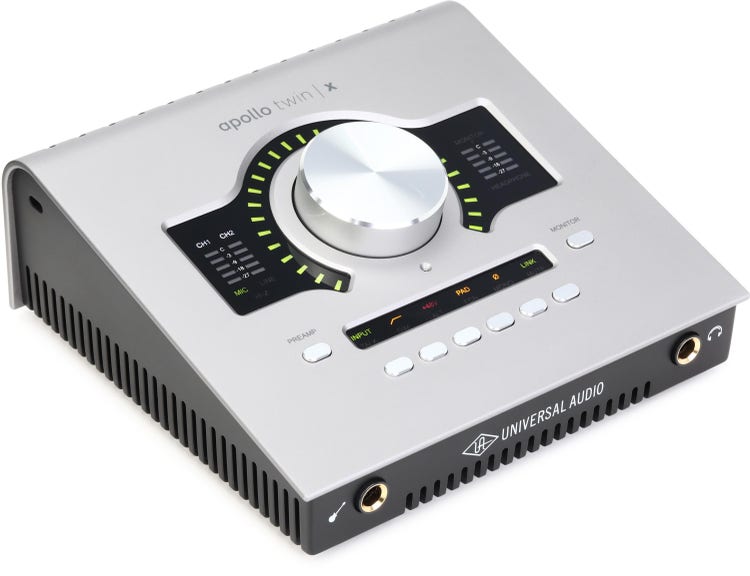
Universal Audio Apollo Twin X Duo (USB-C): Known for its excellent sound quality and powerful UAD plugin ecosystem. It’s a great option for those who want a professional-sounding recording setup. Approximately $1000.
Apogee Duet 3 (USB-C): A compact and portable interface with pristine sound quality. It’s ideal for singer-songwriters and mobile recording. Costs around $700.
RME Babyface Pro FS (USB-C): Highly regarded for its rock-solid drivers and exceptional audio performance. It’s a favorite among audio professionals. About $800.
Antelope Audio Arc 2 (Thunderbolt 5 - expected 2026): Antelope has announced a new generation of interfaces with Thunderbolt 5 connectivity. These are expected to offer unparalleled performance and features, but pricing will likely be at the higher end. Details are still emerging, but expect a price tag exceeding $2000.
Featured Products
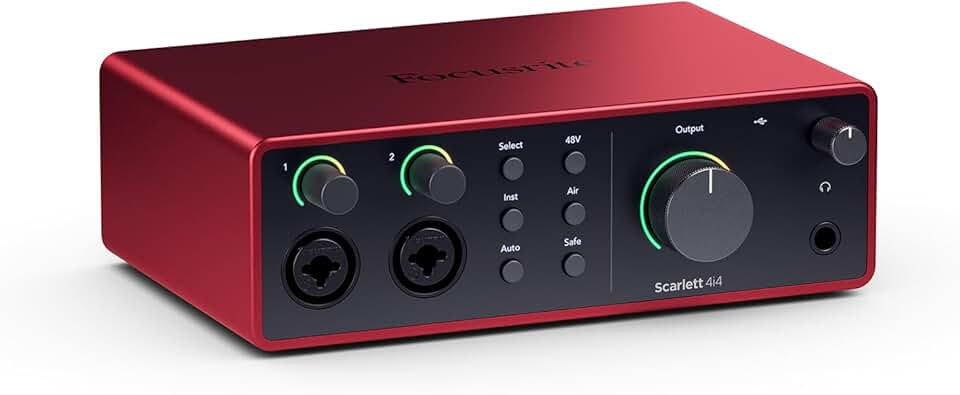
High-fidelity, studio-quality recording · Includes comprehensive software bundle for recording · Suitable for musicians, songwriters, guitarists, and content creators
The Scarlett 4i4 offers a strong balance of features and affordability for general home studio use.
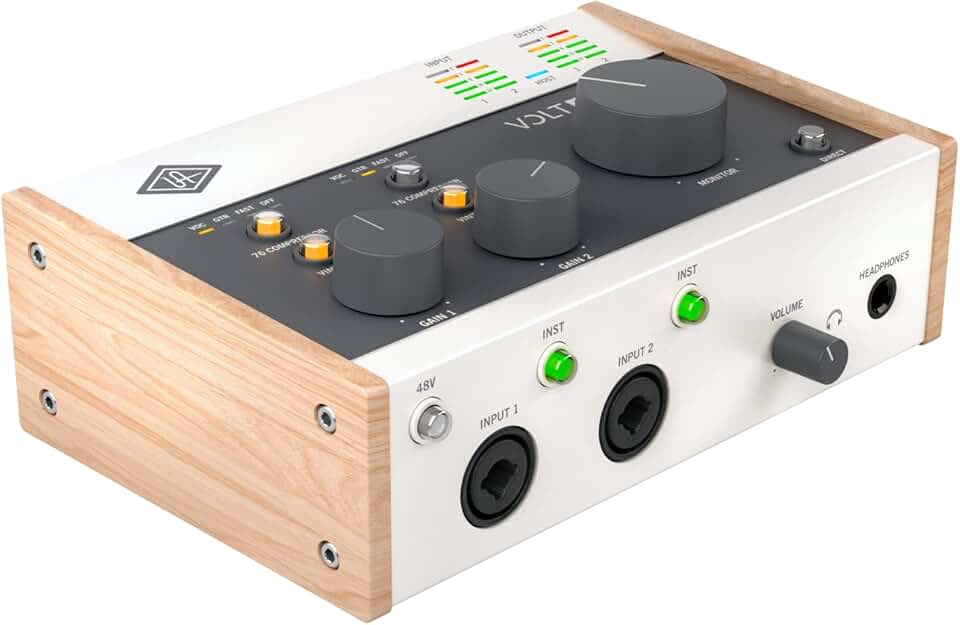
Vintage-style analog sound emulation · Built-in 76 compressor for vocal and instrument enhancement · High-quality preamps and converters
The Volt 276 provides a distinct analog character and compression, ideal for adding vintage warmth to recordings.

26x26 total I/O for extensive connectivity · Ultra-low latency performance via Thunderbolt 3 · High-quality preamplifiers and converters
This interface is recommended for its extensive I/O and ultra-low latency, making it suitable for complex setups and demanding professional workflows.
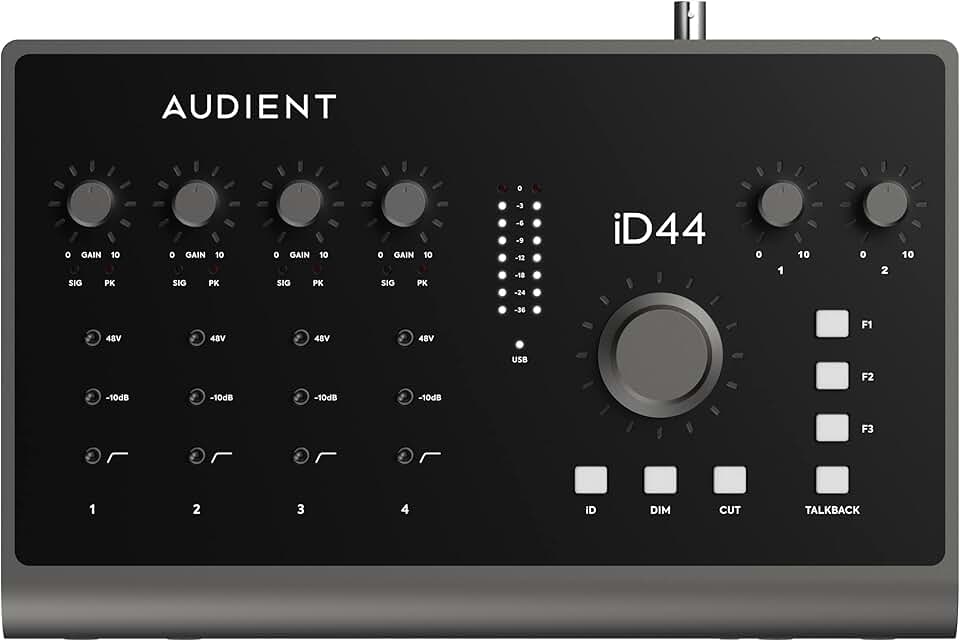
Four Audient Class-A console mic preamplifiers · Dual headphone amplifiers · High-resolution AD/DA converters
The iD44 MKII is a premium USB interface offering professional-grade preamps and robust build quality for discerning users.

High-resolution 4-input, 4-output audio interface · USB-C connectivity for modern computers · Includes essential accessories like an XLR cable and cleaning cloth
The MOTU M4 is a cost-effective and reliable USB-C interface that bundles essential accessories for immediate setup.
As an Amazon Associate I earn from qualifying purchases. Prices may vary.
Cost Considerations: Now and Later
Thunderbolt 5 interfaces currently command a premium price. As of late 2024, you’ll pay significantly more for a Thunderbolt 5 interface compared to a comparable USB-C model. This price difference is due to the more complex hardware and licensing fees associated with Thunderbolt technology.
You also need to factor in the cost of Thunderbolt 5-compatible computers and cables. Thunderbolt 5 computers are still relatively new and tend to be more expensive than their USB-C counterparts. Thunderbolt 5 cables are also pricier than USB-C cables.
Considering the long-term cost of ownership, a Thunderbolt 5 interface could be a worthwhile investment if you need the extra bandwidth and lower latency. It’s likely to be more future-proof than a USB-C interface, allowing you to take advantage of new technologies and software updates. However, if your needs are modest, a USB-C interface might be sufficient for years to come.



No comments yet. Be the first to share your thoughts!