

AI gear for new podcasters
Podcasting tools in 2026 are built around automation. AI handles the tedious parts of the job—scrubbing background hum, cutting dead air, and generating intro music—without needing a professional engineer. It isn't a replacement for a good host, but it makes a home setup sound like a studio.
However, it’s important to be realistic. Full podcast automation is still a ways off. The most practical applications of AI for beginners right now focus on enhancing existing workflows, not eliminating them entirely. We’re talking about tools that make editing faster, audio clearer, and the overall production process more manageable.
This guide focuses on building a solid podcast setup for under $500, with a specific eye toward incorporating these accessible AI-powered features. We’ll prioritize tools that deliver the biggest impact for the lowest cost, helping you get started without breaking the bank. It won’t be the fanciest setup, but it will be capable of producing high-quality content.
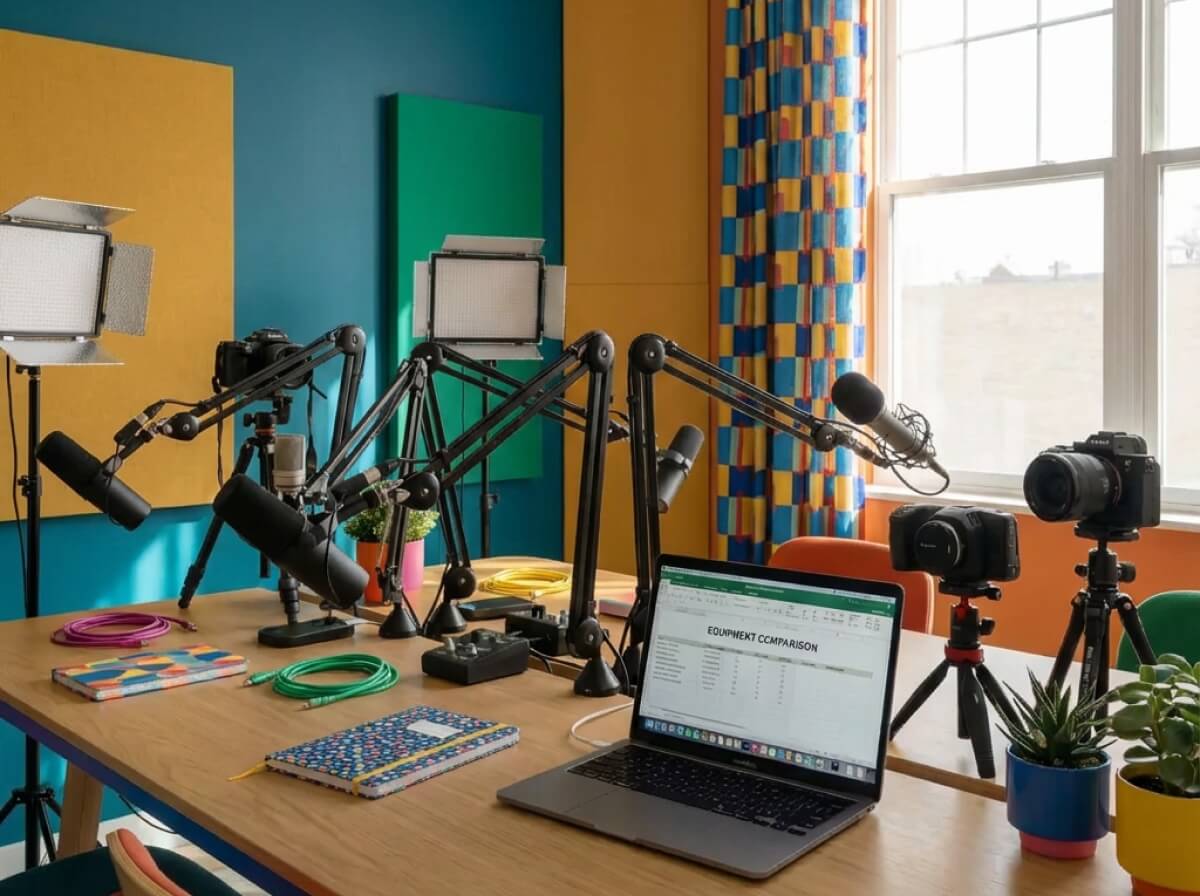
Microphones with built-in noise tools
Your microphone is arguably the most important piece of equipment. While there’s a lot of debate about dynamic versus condenser microphones, for beginners, ease of use and built-in noise reduction are paramount. Dynamic microphones are generally better at rejecting background noise, but they often require more gain, which can introduce other issues. Condenser microphones are more sensitive and capture more detail, but they're more susceptible to picking up everything around you.
USB microphones are the sweet spot for most beginners. They plug directly into your computer, eliminating the need for an audio interface. Many newer USB mics now include built-in AI noise cancellation features, or are compatible with AI-powered noise reduction software. This is a huge benefit, especially if you don’t have a dedicated recording space.
The Rode NT-USB Mini costs about $100 and stays out of the way while you record. If you want more control, the Blue Yeti X ($140) has built-in metering so you can see if you're clipping. For those on a tight budget, the Samson Q2U is $70 and is a hybrid mic, meaning it grows with you if you eventually buy an XLR interface.
Don't underestimate the importance of accessories. A pop filter—which costs around $10-$20—is essential for reducing plosives (those harsh 'p' and 'b' sounds). A basic desktop microphone stand or shock mount (around $20-$30) will help minimize vibrations and unwanted noise. These small investments make a noticeable difference.
- Rode NT-USB Mini ($100)
- Blue Yeti X: ~$140, advanced features, customizable patterns
- Samson Q2U: ~$70, excellent budget choice
Featured Products

Studio-quality condenser capsule · Plugs directly into your computer via USB · Includes RØDE Connect software for easy recording and editing
This microphone delivers clear, professional sound and comes with user-friendly software, making it an excellent choice for beginners seeking high-quality audio.

Multiple pickup patterns for versatile recording · Blue VO!CE effects for enhanced vocal quality · Plug-and-play USB connectivity
The Blue Yeti offers exceptional versatility with its multiple pickup patterns and AI-powered Blue VO!CE effects, providing a professional sound with simple plug-and-play operation.

Hybrid USB-C and XLR connectivity · Auto Level Mode for consistent audio · Integrated LED panel for visual feedback
The Shure MV7+ provides professional-grade audio with intelligent features like Auto Level Mode and a hybrid connection, ensuring a polished sound for aspiring podcasters.

Cardioid condenser microphone · Built-in headphone jack with volume control · Direct USB connection for plug-and-play use
This microphone offers excellent clarity and detail, with convenient features like a headphone jack for direct monitoring, making it ideal for content creators.
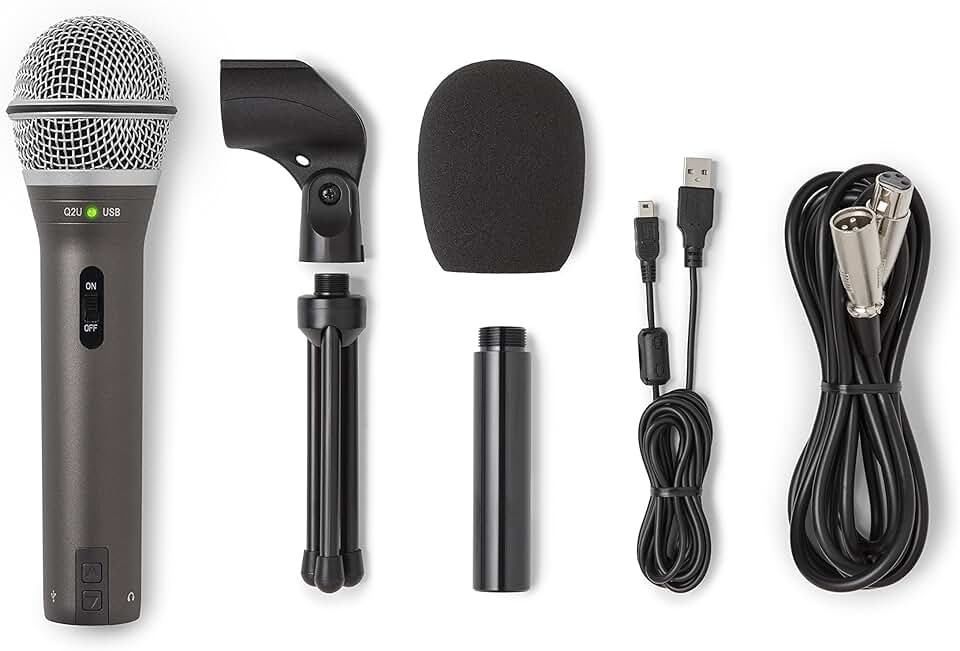
Dual USB and XLR outputs · Dynamic microphone capsule for focused sound · Includes essential accessories for immediate use
The Samson Q2U is a highly versatile and affordable option, offering both USB and XLR connections and a durable design perfect for beginners starting their podcasting journey.
As an Amazon Associate I earn from qualifying purchases. Prices may vary.
Headphones: Monitoring and AI Clarity
Headphones are often an afterthought in podcasting setups, but they’re surprisingly important. Good headphones allow you to accurately monitor your audio as you record, helping you identify and correct issues like clipping or unwanted background noise. They're also crucial when using AI-powered editing tools; you need to hear the subtle changes the AI is making to ensure they're improving the audio, not creating artifacts.
Closed-back headphones are generally preferred for podcasting because they minimize sound leakage, preventing your audio from bleeding into the microphone. You don’t need to spend a fortune on audiophile-grade headphones; clarity and accuracy are more important than booming bass or overly emphasized treble.
Solid options in the $50-$100 range include the Audio-Technica ATH-M20x and the Sony MDR-7506. Both provide a relatively flat frequency response, which is ideal for critical listening. Avoid headphones with excessive bass boost, as this can mask subtle audio problems. Prioritize comfort, as you’ll likely be wearing them for extended periods.

Audio-Technica ATH-M40x Professional Studio Monitor Headphone, Black, with Cutting Edge Engineering, 90 Degree Swiveling Earcups, Pro-Grade Earpads/Headband, Detachable Cables Included
- Professional studio monitor headphones
- Closed-back design for superior isolation
- 90-degree swiveling earcups for flexible positioning
- Pro-grade earpads and headband for comfort
- Detachable cables included
The Audio-Technica ATH-M40x provides exceptional sound isolation and comfort, crucial for beginners to accurately monitor their podcast audio without external distractions, all while fitting comfortably within a budget-friendly setup.
View on Amazon →As an Amazon Associate I earn from qualifying purchases.
Software that edits for you
This is where AI truly shines. Editing used to be a time-consuming process, but AI-powered tools are drastically simplifying it. Descript is a popular choice, offering transcription-based editing, filler word removal, and AI-powered noise reduction. Their Creator plan, at $12/month as of late 2026, is a good starting point.
Adobe Podcast Enhance is another fantastic option, and it's surprisingly affordable. It uses AI to remove background noise and enhance speech quality, and even offers a free tier for limited use. The paid plans are reasonable, starting around $20/month. It's particularly good at cleaning up recordings made in less-than-ideal environments.
Auphonic is a cloud-based audio processing service that automatically levels audio, reduces noise, and applies other enhancements. They offer a pay-per-hour model, which can be cost-effective if you only podcast occasionally. The first few hours are often free, allowing you to test its capabilities.
It’s important to understand the difference between local and cloud-based processing. Local processing (like some features in Descript) happens on your computer, while cloud-based processing (like Auphonic) requires an internet connection. Cloud-based solutions can be more powerful, but they also raise privacy concerns. Be sure to read the terms of service and understand how your data is being used.
AI isn’t a magic bullet. While these tools are incredibly helpful, they’re not perfect. You’ll still need to review and refine the AI’s work to ensure the final product sounds polished. Expect to spend some time learning the nuances of each tool and experimenting with different settings.
- Descript: Transcription-based editing, filler word removal, ~$12/month (Creator plan)
- Adobe Podcast Enhance: Noise reduction, speech enhancement, free tier available, ~$20/month (paid plans)
- Auphonic: Auto-leveling, noise reduction, pay-per-hour model
AI-Powered Podcast Audio Tools: A Beginner's Comparison (2026)
| Price (Entry Level) | Key AI Features | Ease of Use | Platform | Pros | Cons |
|---|---|---|---|---|---|
| Free tier available; paid plans exist | Noise reduction, automatic level adjustment, filler word removal, transcription | Beginner | Web & Desktop | User-friendly interface, strong all-in-one capabilities, good for editing and publishing. | Can be resource intensive, advanced features require paid subscription. |
| Free tier available; paid plans exist | Speech enhancement, noise reduction, automatic mixing and mastering | Beginner | Web | Excellent audio cleanup, simple interface, focused on audio quality improvement. | Less control over detailed editing, limited features beyond audio enhancement. |
| Free tier available; paid plans exist | Automatic loudness leveling, noise and hum reduction, speech-to-text | Intermediate | Web & Desktop | Highly effective audio post-production, batch processing capabilities, integrates with various workflows. | Steeper learning curve than other options, less focused on editing, more on final polish. |
| Free tier available; paid plans exist | AI-powered editing tools, overdub, studio sound | Beginner | Desktop | Combines editing with AI features, good for removing filler words and creating a polished sound. | Can be expensive depending on usage, requires a learning curve for advanced features. |
| Free tier available; paid plans exist | Real-time noise suppression, voice isolation, echo cancellation | Beginner | Desktop | Excellent for live podcasting or recording in noisy environments, integrates with popular DAWs. | May introduce artifacts if settings are too aggressive, requires a powerful computer. |
| Free tier available; paid plans exist | Automated transcription, speaker detection, keyword search | Intermediate | Web | Strong transcription accuracy, useful for creating show notes and repurposing content. | Transcription accuracy can vary depending on audio quality, editing features are limited. |
Illustrative comparison based on the article research brief. Verify current pricing, limits, and product details in the official docs before relying on it.
Recording Space: Minimizing AI's Workload
AI can fix a lot of problems, but it can't magically transform a noisy, echoey room into a professional recording studio. The better your recording environment, the less work the AI has to do, and the better the final result will be. You don’t need to spend a lot of money on acoustic treatment.
Simple solutions like hanging blankets or thick curtains on the walls can help absorb sound and reduce echo. Recording in a smaller room, like a closet or bedroom, is generally better than a large, open space. Minimize background noise by turning off fans, air conditioners, and other appliances. Close windows and doors to block out external sounds.
Throw a rug on the floor and surround your mic with pillows. You want a 'dead' space where your voice doesn't bounce off the walls. The less echo you record, the less the AI has to struggle to clean it up later.
There's a trade-off between convenience and quality. Recording in a perfectly soundproofed room isn’t realistic for most beginners. Focus on making small, practical improvements that will have the biggest impact on your audio.
Putting It All Together: A $500 Setup
Let's look at a couple of sample setups that stay within our $500 budget. These prices are approximate and may vary depending on sales and availability.
Bare Minimum Setup (~$350): Samson Q2U microphone ($70), pop filter ($15), basic microphone stand ($25), Audio-Technica ATH-M20x headphones ($60), Descript Creator plan (first month free, then $12/month), and a free tier of Adobe Podcast Enhance. This setup prioritizes the microphone and essential software.
Slightly Upgraded Setup (~$480): Rode NT-USB Mini microphone ($100), pop filter ($20), desktop boom arm ($60), Sony MDR-7506 headphones ($100), Descript Creator plan (first month free, then $12/month), and Auphonic (pay-as-you-go for occasional use). This setup offers better sound quality and more flexible monitoring options.
These costs don’t include a computer, which is assumed you already have. Remember to factor in the ongoing cost of software subscriptions when budgeting. You can find links to these products on Amazon and other retailers.
Be transparent about your budget. You don't need the most expensive equipment to create a great podcast. Focus on getting the essentials and gradually upgrading as your needs evolve.
- Bare Minimum: ~$350
- Slightly Upgraded: ~$480
AI-Powered Podcast Studio Under $500: Your Essential Beginner Gear

USB connectivity for direct computer/mobile recording · Studio-quality condenser capsule · Integrated pop filter and headphone output
Offers excellent audio fidelity and ease of use for a professional podcasting start.
Cardioid pickup pattern reduces background noise · Built-in headphone jack with volume control · USB output for simple plug-and-play setup
Provides a reliable and user-friendly option for clear vocal recording with convenient monitoring.

Hybrid USB-C and XLR outputs · Auto Level Mode for consistent audio · Digital Pop Filter and LED touch panel
Combines professional features with AI-assisted tools for effortless, high-quality podcast recordings.
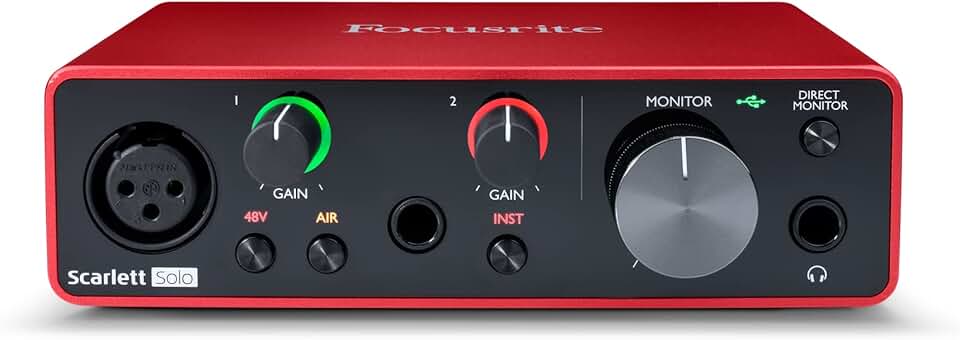
High-quality preamplifiers for clear input · USB connectivity for computer integration · Direct monitoring for zero-latency playback
A robust interface that bridges microphones to your computer, offering professional sound processing.

Large diaphragm drivers for detailed sound · Closed-ear design for isolation · Durable construction for professional use
Delivers accurate audio monitoring crucial for identifying and correcting recording nuances.
As an Amazon Associate I earn from qualifying purchases. Prices may vary.
No comments yet. Be the first to share your thoughts!