
Core audio gear for clear sound
Clear audio is the non-negotiable foundation of any podcast. In 2026, the barrier to entry has shifted from buying expensive interfaces to choosing versatile hardware that grows with you. The best microphones and headphones now bridge the gap between simple plug-and-play convenience and professional studio flexibility.
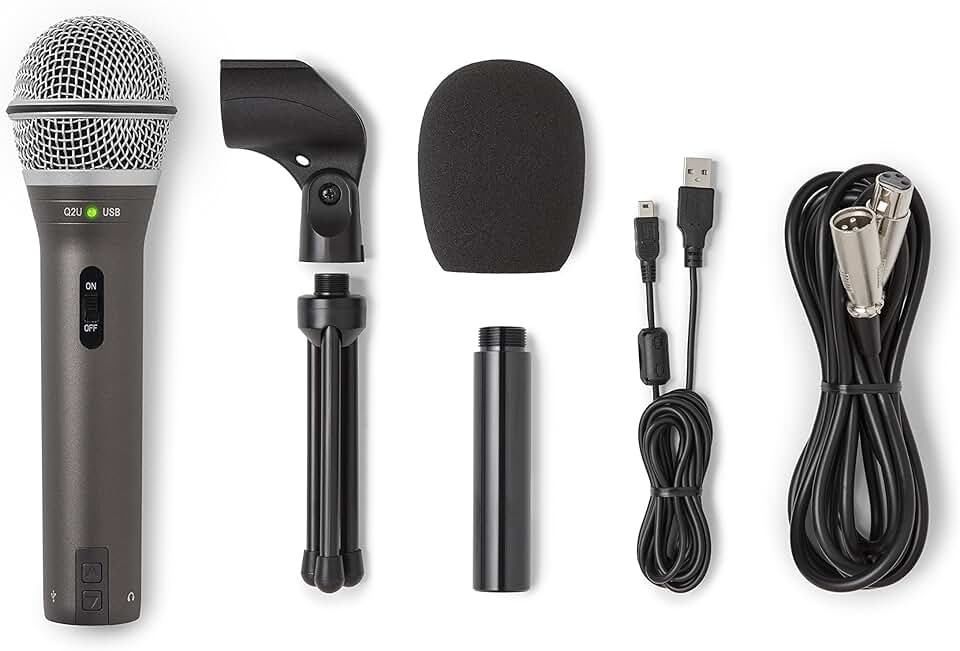
The Samson Q2U remains the most recommended starting point for new podcasters. Its hybrid design allows you to plug directly into a laptop via USB for immediate recording, then switch to XLR later if you invest in an audio interface. This future-proofing means you aren't wasting money on gear that becomes obsolete as your production quality improves. For those seeking a more compact solution, the Audio-Technica ATR2100x offers similar dual connectivity in a slightly smaller form factor, making it ideal for creators who value desk space.
Headphones complete the setup by providing accurate monitoring. Closed-back models are essential to prevent sound from bleeding into your microphone, which ruins audio clarity. Whether you are recording in a treated room or a noisy home office, isolating your audio signal is the single most effective way to maintain professional standards without expensive software fixes.

As an Amazon Associate, we may earn from qualifying purchases.
Video podcasting essentials for 2026
Video is no longer optional. Top-performing podcasts now expect at least 10x the editing time per minute compared to audio-only shows, but the visual payoff in audience retention is significant [src-serp-5]. To capture that value without drowning in post-production, you need a setup that prioritizes clean visuals and reliable lighting over complex camera movements.
The choice between a webcam and a mirrorless camera depends on your budget and editing tolerance. Webcams like the Logitech Brio 4K offer a "set it and forget it" experience, handling autofocus and exposure automatically. Mirrorless cameras, such as the Sony ZV-E10, deliver superior shallow depth-of-field and low-light performance but require manual focus pulling and external capture cards.
Lighting matters more than the camera sensor. A single key light positioned at eye level eliminates harsh shadows and makes even a mid-range webcam look professional. Avoid overhead room lighting, which creates unflattering shadows under the eyes. Instead, use a softbox or LED panel with a diffuser to create even, flattering illumination.
Compare entry-level vs. pro video setups
The table below breaks down the trade-offs between accessible webcam setups and professional mirrorless rigs. Entry-level setups save hours of editing time but lack cinematic depth. Pro setups offer superior image quality but demand technical skill and more post-production effort.
| Setup Type | Camera | Lighting | Editing Effort | Approx. Cost |
|---|---|---|---|---|
| Entry-Level | Logitech Brio 4K | Single LED Panel | Low | $200-$300 |
| Prosumer | Sony ZV-E10 | 2-Point Softbox | Medium | $800-$1,200 |
| Professional | Sony A7IV | 3-Point Studio | High | $2,500+ |
AI tools that streamline recording
The 2026 podcast setup is defined less by hardware specs and more by the software that cleans up the mess. AI tools now handle the technical heavy lifting—noise removal, transcription, and editing—reducing the barrier to entry for new creators. You no longer need to be an audio engineer to produce broadcast-quality sound.
The most significant shift is in post-production. Tools like Adobe Podcast and Descript have made "studio-quality" audio accessible to anyone with a decent microphone. Adobe Podcast’s Enhance Speech feature, for instance, uses neural networks to strip background noise and fix uneven levels, turning a recording made in a noisy kitchen into something that sounds like it was recorded in a treated booth. This isn't just a convenience; it's a game-changer for remote interviews where you have no control over your guest's environment.
Transcription has also moved from a manual chore to an instant asset. Platforms like Descript and Otter.ai provide real-time transcripts that double as editing interfaces. Instead of cutting audio waveforms, you edit text. Delete a word in the transcript, and the audio cuts automatically. This workflow speeds up editing by hours, allowing you to focus on storytelling rather than technical cleanup.
Note: While AI is powerful, use it responsibly. Keep the human voice authentic. AI should remove distractions, not replace your personality or natural speech patterns.
To get started, consider these essential AI-driven tools for your 2026 podcast setup:
- Adobe Podcast Enhance: Best for cleaning up noisy audio files. It’s free for basic use and integrates well with Adobe Audition.
- Descript: An all-in-one editor that transcribes, edits, and even generates AI voices. Ideal for solo creators who want to edit by text.
- Otter.ai: Great for real-time transcription and meeting notes. Useful for planning episodes and creating show notes automatically.
- Krisp: A noise-canceling app that works at the system level. Perfect for live interviews or recording in less-than-ideal acoustic spaces.
These tools don't replace the need for good recording habits, but they do make the process significantly smoother. By automating the technical details, you can spend more time on the content that matters: your story.
Quick Checklist for AI Integration
-
Test AI noise removal on a sample clip before recording.
-
Choose a transcription tool that fits your editing workflow.
-
Review AI-generated transcripts for accuracy before publishing.
-
Maintain a backup of original, unedited audio files.
Acoustic treatment on a budget
You don’t need a soundproof booth to get professional audio. The goal of acoustic treatment isn’t to block outside noise; it’s to stop your room from adding its own echo and reverb to your voice. Uncontrolled sound bounces off hard walls, creating a muddy, hollow tone that no editing software can fully fix. Think of your room as an instrument: if the room is sharp, your recording will be sharp. If the room is dead, your voice will sound intimate and clear.
The most cost-effective starting point is managing reflection points. These are the spots on your walls where sound from your speakers or microphone hits first. Placing thick moving blankets or specialized acoustic panels at these points absorbs the initial bounce, tightening up your sound significantly. For a DIY approach, hanging heavy curtains over windows and filling shelves with books creates natural diffusion, breaking up standing waves without looking like a studio.
If you want a cleaner, more controlled sound, consider adding bass traps to the corners of your room. Low frequencies accumulate in corners, causing a booming effect that muddies your voice. Simple foam wedges or rolled-up insulation batts in the corners can tame this low-end rumble. This step is often overlooked but makes a massive difference in perceived audio quality.
For those who prefer a plug-and-play solution, portable vocal booths or isolation shields can help. These acrylic shields sit behind your microphone, reflecting sound away from the rear capsule and reducing room reflections. While they don’t treat the whole room, they create a small, controlled acoustic environment right at the mic, which is often enough for podcasting.
Essential accessories for your desk
Your microphone is only as good as the environment it sits in. The following accessories form the backbone of a clean, professional podcast setup, handling everything from cable management to audio clarity.
Boom arms and stands
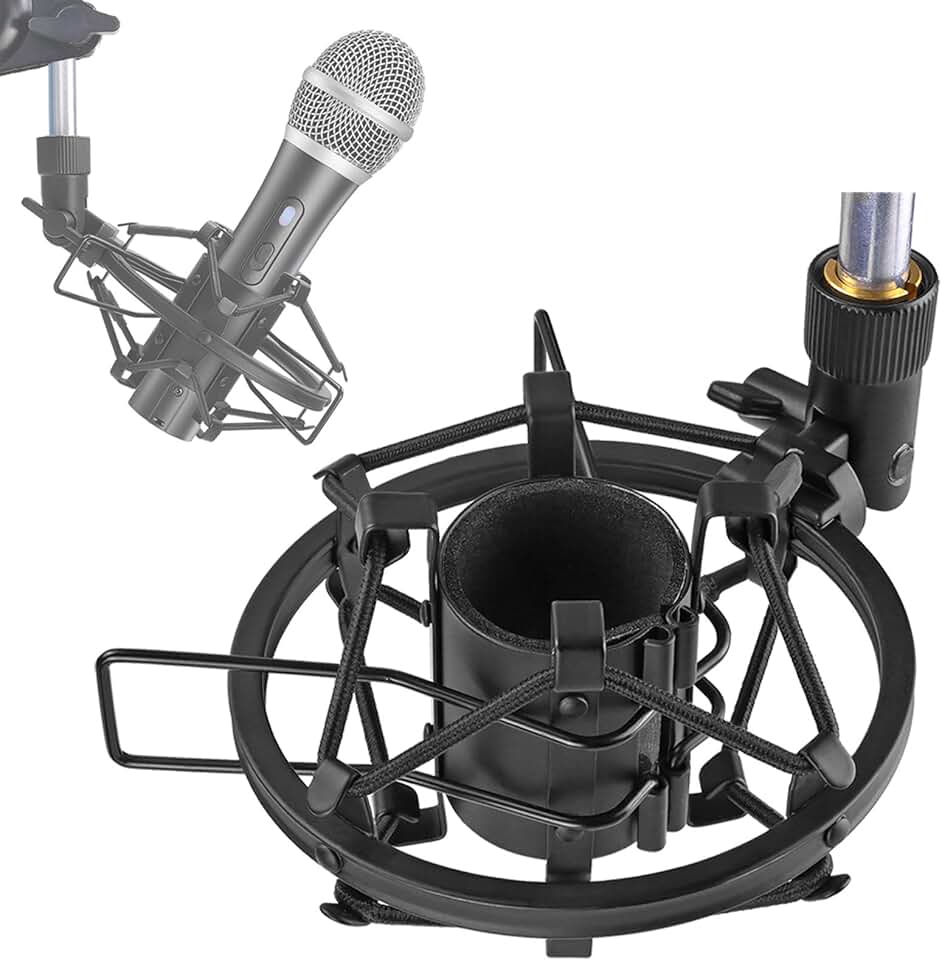
A sturdy desk mount or boom arm keeps your microphone steady and reduces desk-borne vibrations. The Heil Sound PL-2T is a reliable choice for its counterbalance design, which holds heavier dynamic mics without sagging over time. For lighter setups, the Rode PSA1 offers smooth tension adjustment and a compact footprint that leaves more room on your desk for your laptop.
Pop filters and windscreens
Plosive sounds like "p" and "b" can distort your recording if left unchecked. A pop filter placed 2–3 inches in front of the mic acts as a barrier, diffusing these air bursts. The Aokeo Professional Pop Filter is a popular, affordable option that attaches directly to most mic stands. If you prefer a cleaner look, a foam windscreen like the Rycote Lyre provides similar protection with a more integrated design.
Audio interfaces
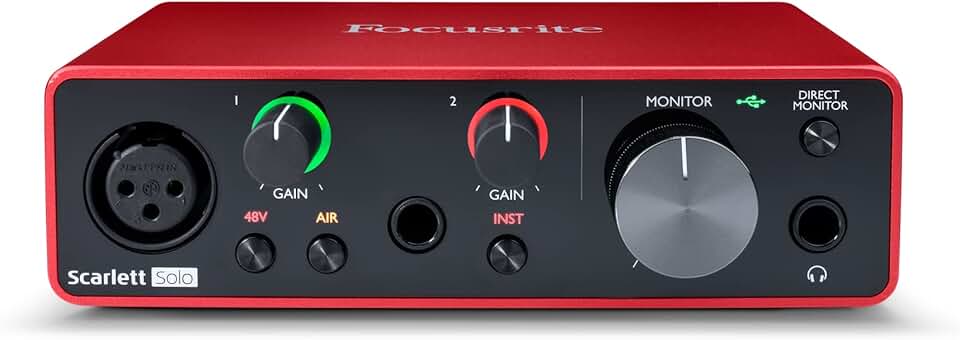
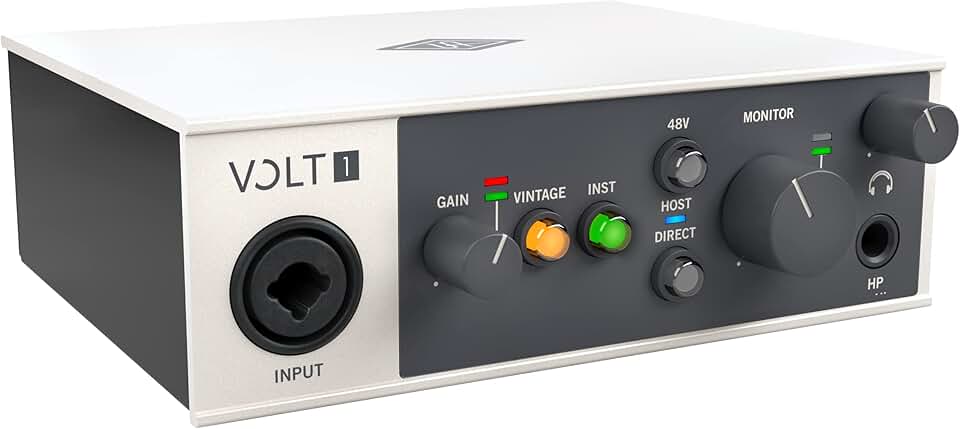
To connect an XLR microphone to your computer, you need an audio interface. This device converts analog signals into digital data while providing phantom power for condenser mics. The Focusrite Scarlett Solo is the industry standard for solo podcasters, offering clean preamps and straightforward gain control. For those needing multiple inputs for co-hosts, the Universal Audio Volt 2 delivers high-headroom preamps and built-in compression for a polished sound right out of the box.


As an Amazon Associate, we may earn from qualifying purchases.
No comments yet. Be the first to share your thoughts!