

The $500 reality check
Let’s be real: $500 won’t build you a professional recording studio. You won’t be tracking full bands with pristine audio quality right off the bat. But it will get you a functional space where you can record usable audio, learn the ropes, and start creating. Expect to make compromises, and be prepared to upgrade as you grow.
The biggest challenge is prioritizing. What absolutely needs to be bought new? What can be creatively sourced – maybe you already have a quiet room, or a friend has a spare mic stand? And what can be delayed until you have more funds? I often see people overspend on things like fancy chairs or acoustic foam when they should be focusing on the microphone and interface.
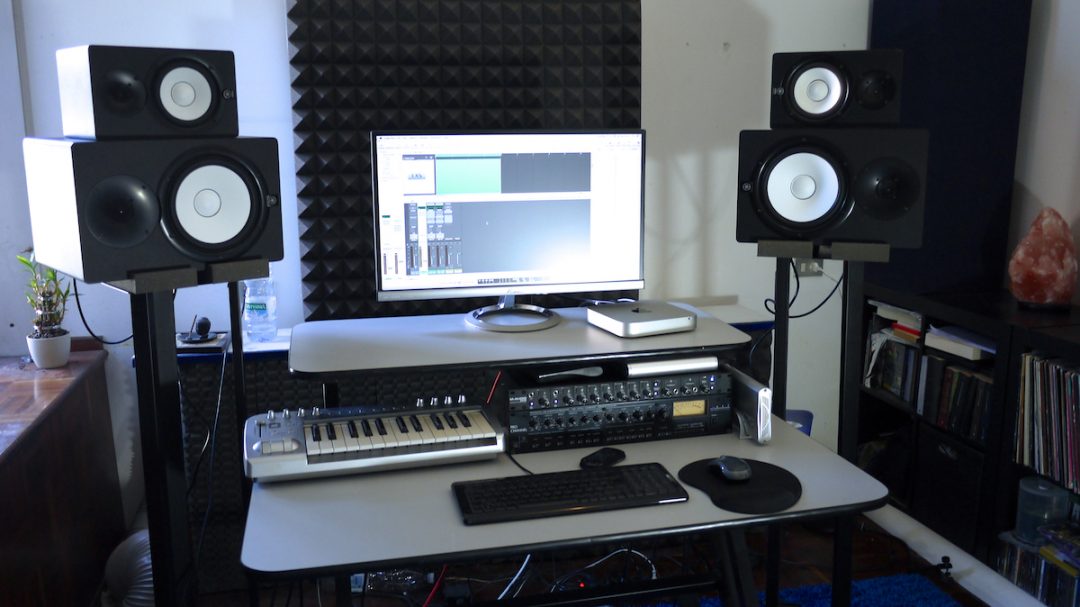
I wasted $200 on a 'pro' reflection filter when I started, thinking it would fix my thin-sounding room. It didn't. You're better off spending that money on a solid interface. This list covers the three things that actually change your sound: the mic, the converter, and the headphones.
Microphones that don't suck
The microphone is the single most important element in your home studio. It’s where you’ll make the biggest impact on your sound. There are two main types to consider: dynamic and condenser. Dynamic mics are durable, good at rejecting background noise, and typically more affordable. Condenser mics are more sensitive and capture more detail, but require phantom power and are usually more fragile.
For under $150, you have some excellent options. The Audio-Technica AT2020 is a popular condenser mic known for its clear sound, though it does require phantom power from an interface. The Samson Q2U is a fantastic dynamic USB microphone – meaning it plugs directly into your computer – making it incredibly convenient. The Rode NT-USB Mini is another solid USB condenser option, offering good quality in a compact package.
I’m leaning towards the Samson Q2U for its versatility. It’s a dynamic mic, so it’s forgiving in less-than-ideal acoustic environments. The USB connectivity simplifies the setup process, which is great if you’re just starting out. Plus, it can be used for both vocals and instruments. It's a true workhorse.
Consider what you’ll be recording most often. Vocals benefit from the detail of a condenser mic, while drums or loud guitar amps are better suited to a dynamic mic. Voiceovers can work well with either, depending on your voice and the recording environment.
Getting audio into your computer
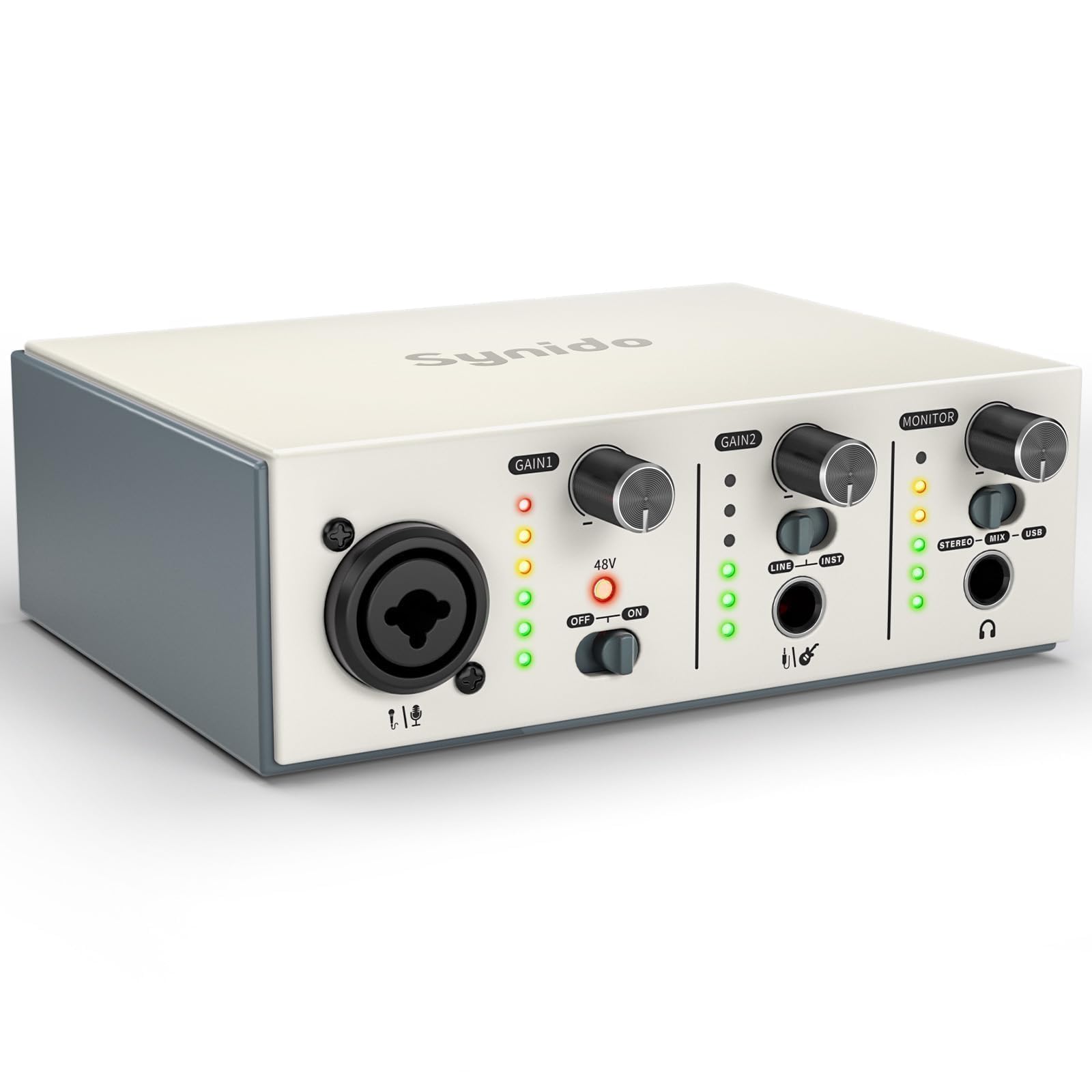
Unless you opt for a USB microphone like the Samson Q2U, you’ll need an audio interface to connect your microphone to your computer. An interface converts the analog signal from your mic into a digital signal your computer can understand. It also provides phantom power for condenser mics and allows you to monitor your audio with headphones.
Look for a 2-in/2-out interface – this means it can handle two inputs (like a microphone and an instrument) and two outputs (for your speakers or headphones). Several good options fall under $100. The Focusrite Scarlett Solo is a popular choice, known for its clear preamps and ease of use. The PreSonus AudioBox USB 96 is another solid contender, offering similar features at a competitive price. M-Audio M-Track Solo is also a reliable option.
Check the latency specs before buying. If there is a noticeable lag between your voice and the headphones, you won't be able to stay in time. Most modern USB-C interfaces handle this well, but the cheaper $40 units often struggle.
Featured Products
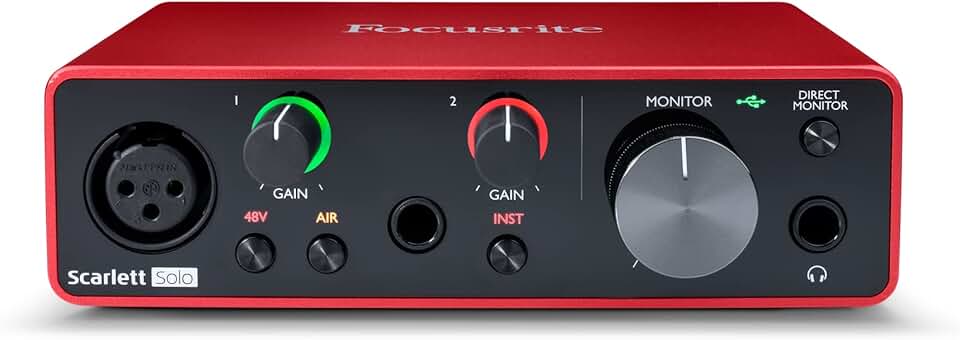
High-quality sound recording and playback · Designed for guitarists, vocalists, podcasters, and producers · USB connectivity for easy computer integration
This highly-rated and affordable audio interface provides the essential connection between your microphones and instruments and your computer, forming the core of any budget-friendly home recording setup.

USB audio interface with Studio One Artist DAW software · Reliable performance for recording and playback · Includes essential inputs for microphones and instruments
This highly-rated and affordable audio interface provides the essential connection between your microphones and instruments and your computer, forming the core of any budget-friendly home recording setup.

Versatile inputs including XLR, Line, and DI · Suitable for recording, streaming, and podcasting · Bundled with a software suite for immediate use
This highly-rated and affordable audio interface provides the essential connection between your microphones and instruments and your computer, forming the core of any budget-friendly home recording setup.

Audiophile-grade 2x2 USB audio interface · Features a XENYX mic preamplifier for clear audio capture · Ideal for recording microphones and instruments
This highly-rated and affordable audio interface provides the essential connection between your microphones and instruments and your computer, forming the core of any budget-friendly home recording setup.
As an Amazon Associate I earn from qualifying purchases. Prices may vary.
Headphones for tracking and mixing
Good headphones are absolutely essential for accurate monitoring while recording and mixing. You need to hear exactly what you’re recording, without any unwanted bleed or coloration. There’s a debate between open-back and closed-back headphones. Open-back headphones offer a more natural soundstage and are great for mixing, but they leak sound, making them unsuitable for recording.
Closed-back headphones are better for recording because they isolate sound, preventing bleed into the microphone. For under $75, the Beyerdynamic DT 770 Pro (80 Ohm version) is a fantastic choice, offering excellent sound quality and comfort. The Audio-Technica ATH-M20x is a more affordable option that still delivers good performance. The Sony MDR-7506 is an industry standard, known for its durability and accurate sound.
Impedance is another important factor. Lower impedance headphones (like the ATH-M20x) are easier to drive and work well with most computers and interfaces. Higher impedance headphones (like the DT 770 Pro) may require a headphone amplifier to reach their full potential. The 80 Ohm version of the DT 770 Pro generally works well without an amp.
DAW & Software: Free vs. Paid
A Digital Audio Workstation (DAW) is the software where you’ll record, edit, and mix your audio. There are excellent free options available, which are perfectly adequate for starting out. Audacity is a popular open-source DAW that’s easy to learn and use. GarageBand is another great option, but it’s only available on macOS.
Paid DAWs like Ableton Live Intro or FL Studio Fruity Edition offer more features and flexibility, but they aren’t necessary to begin. These can be a good investment later on, as you become more proficient and need more advanced tools. Starting with a free DAW allows you to learn the fundamentals without a financial commitment.
Once you install your DAW, go to the audio preferences and select your interface as the primary driver. If you're on Windows, you'll likely need to download the ASIO driver from the manufacturer's website first to get the best performance.
DAW Comparison for Budget Home Studios (2026)
| DAW Name | Price | Operating System | Ease of Use | Features | Best For |
|---|---|---|---|---|---|
| Audacity | Free | Windows, macOS, Linux | Very Easy | Basic recording and editing, limited effects. | Simple voice recording, podcast editing, quick edits. |
| GarageBand | Free (with Apple devices) | macOS, iOS | Easy | Good selection of loops and instruments, user-friendly interface. | Beginner musicians, songwriting, podcasting on Apple devices. |
| Ableton Live Intro | Typically around $99 | Windows, macOS | Moderate | Clip-based workflow, powerful for electronic music, limited tracks/scenes compared to full versions. | Electronic music production, loop-based composition, learning Ableton’s workflow. |
| FL Studio Fruity Edition | Typically around $99 | Windows, macOS | Moderate | Pattern-based sequencing, popular for hip-hop and electronic music, does not include audio recording/editing. | Beatmaking, electronic music production, MIDI sequencing (less suited for full band recording). |
Illustrative comparison based on the article research brief. Verify current pricing, limits, and product details in the official docs before relying on it.
Fixing your room sound
Acoustic treatment is often overlooked, but it can significantly improve the quality of your recordings. The goal is to reduce unwanted reflections and reverberation in your room. Professional acoustic treatment can be expensive, but you can achieve noticeable improvements with DIY solutions.
Using blankets, pillows, and furniture to absorb sound is a great starting point. Hang blankets on walls, place pillows in corners, and cover hard surfaces with rugs. You can also explore affordable acoustic panels under $50 online. These panels are designed to absorb sound and reduce reflections.
Reducing room reverb and standing waves is crucial. Reverb makes your recordings sound muddy and indistinct, while standing waves create uneven frequency responses. Even small steps, like adding a few strategically placed panels, can make a big difference in the clarity and quality of your recordings.
Cables, Stands, and Extras
Don't forget the essential accessories! An XLR cable is needed to connect your microphone to your audio interface (unless you're using a USB microphone). A microphone stand keeps your mic stable and in the correct position. A pop filter reduces plosives – those harsh “p” and “b” sounds that can ruin a vocal take.
Budget-friendly XLR cables are readily available online. A basic microphone stand will suffice to start. While studio monitors are ideal for mixing, they’re often a future upgrade. For now, focus on getting good headphones. Reliable sources for cables and stands include Amazon and Sweetwater.
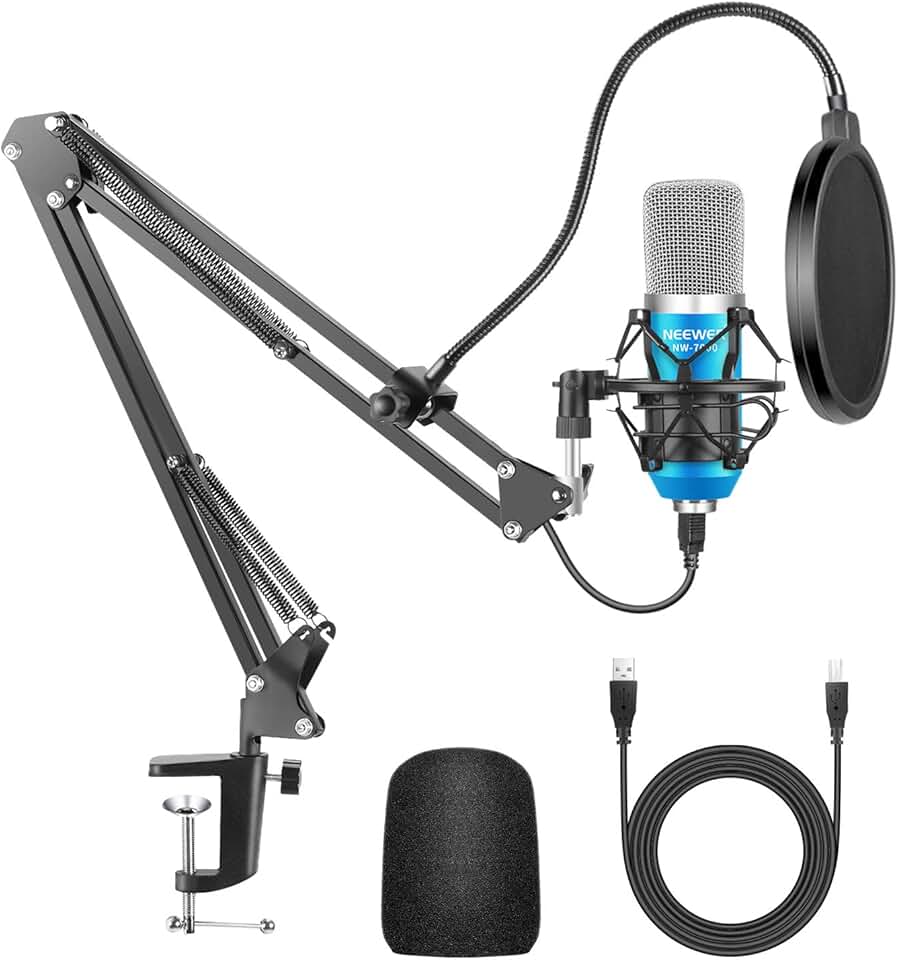
NEEWER USB Microphone for Windows/Mac with Scissor Arm Stand, Shock Mount, USB Cable and Table Mount Kit for Broadcasting and Sound Recording (Blue and Silver)
- Plug-and-play USB connectivity for Windows and Mac
- Includes a scissor arm stand, shock mount, and table mount for versatile positioning
- Ideal for podcasting, voiceovers, and basic home recording
The NEEWER USB Microphone kit offers exceptional value, providing a complete and highly-rated solution for aspiring podcasters and home recordists on a tight budget. Its included accessories make it a convenient all-in-one option to get started immediately.
View on Amazon →As an Amazon Associate I earn from qualifying purchases.
No comments yet. Be the first to share your thoughts!